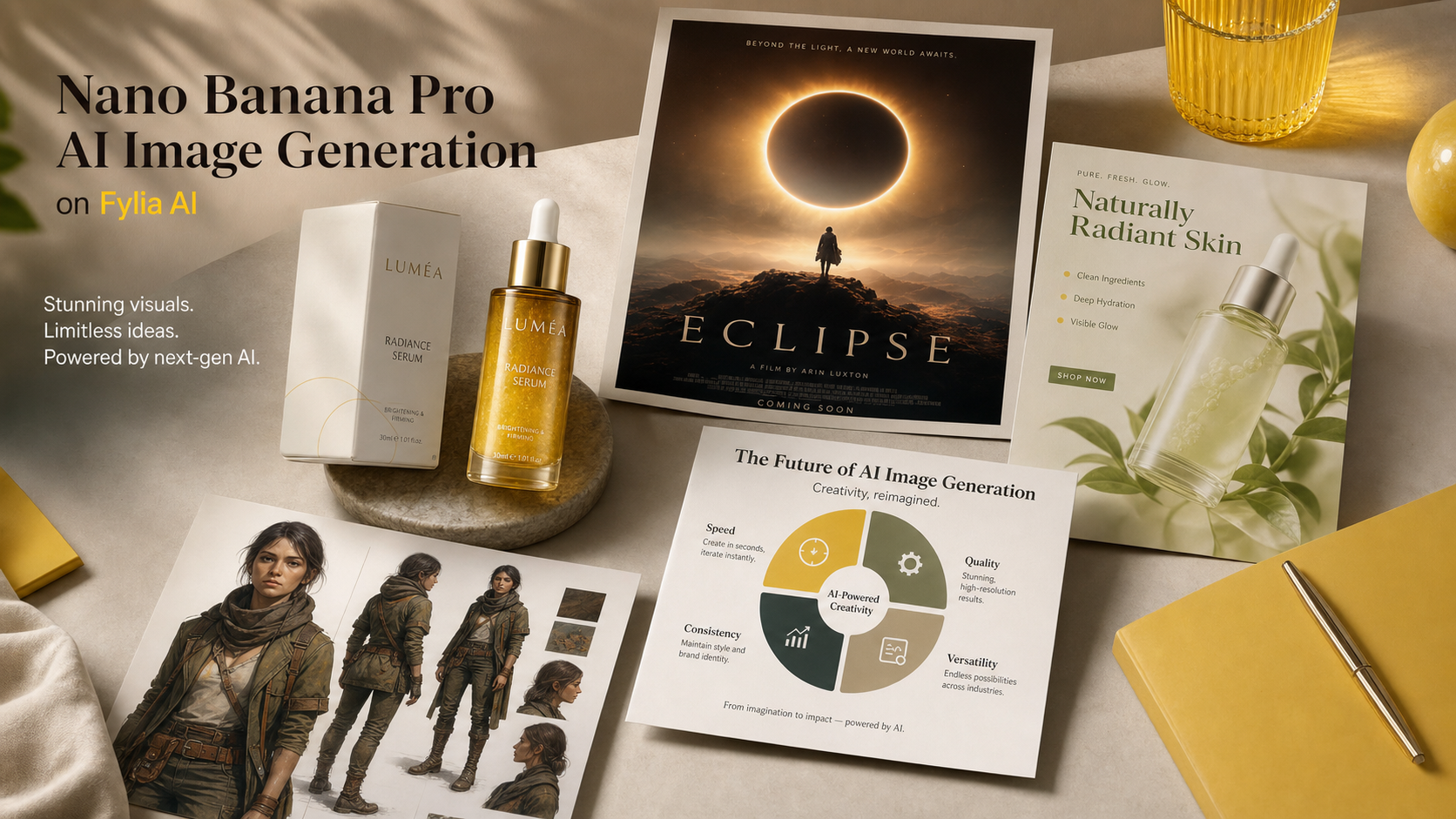
创作者搜索 Nano Banana Pro,是因为他们想要更精准的提示词、更干净的修改,以及更稳定可靠的出图效果,而不必每次都从零重建所有视觉素材。在 Fylia AI 上,实用的工作流很简单:先明确创意目标,选择合适的图像模型,必要时使用参考图,然后像审阅真实营销活动的草稿一样复盘结果。
本指南将讲解如何用 Nano Banana Pro 制作产品图、海报、电商广告、社媒视觉、角色概念、信息图以及图像编辑。同时也会说明:什么时候继续用 Nano Banana AI,什么时候测试 Nano Banana Pro,以及什么时候换用其他 Fylia 模型(如 GPT Image 2 或 Seedream 5.0 AI)会更合适。

Nano Banana Pro 是什么,以及为什么创作者会拿它和 Nano Banana AI 对比
Nano Banana Pro 最好理解为面向需要更强可控性的创作者的高阶选项,用于 AI 图像生成与编辑。具体上线功能会随平台变化,但用户诉求很明确:更强的提示词跟随、更干净的构图、更懂文字的版式、更好的参考图处理,以及更“商业成片感”的画面品质。
Google 将 Nano Banana Pro 定位在 Gemini 3 Pro Image 附近,而更早的 Nano Banana AI 工作流常被讨论为类似 Gemini 2.5 Flash Image 的创作风格。落到实践层面,许多创作者会把 Nano Banana AI 当作快速起步的工具;当画面需要更强的指向性、更精致的版式或更好的视觉推理时,再测试 Nano Banana Pro。
当你需要快速发散、早期情绪板、简单社媒视觉、快速草图时,用 Nano Banana AI。需要更“完成度”的海报、产品广告、更干净的电商图、一致的角色视觉、更易读的图表,或细节要求更高的参考图编辑时,就切换到 Nano Banana Pro。
| 需求 | 优先尝试 | 原因 |
|---|---|---|
| 快速概念草稿 | Nano Banana AI | 适合快速探索与基础提示词测试。 |
| 产品主视觉(hero) | Nano Banana Pro | 当构图、材质与营销级质感很关键时更匹配。 |
| 海报与社媒广告 | Nano Banana Pro | 适合控制版式、视觉层级与预留文字空间。 |
| 备选图像模型 | GPT Image 2 或 Seedream 5.0 AI | 当不同模型在风格、文字或编辑表现上更合适时值得对比。 |
| 提示词辅助 | Image to Prompt 或 AI Prompt Generator | 帮助把粗糙想法或参考图转成更清晰的提示词。 |
关键点不在于某一个模型取代所有模型。更好的工作方式是:用同一份 brief 在多个模型上对比,保留结构最强的版本,再在此基础上迭代优化。

如何在 Fylia AI 上使用 Nano Banana Pro 生成更好的 AI 图片
在 Fylia AI 上使用 Nano Banana Pro 的最快方式,是把提示词写成“创意简报”,而不是一堆关键词。先写清输出类型,定义主体,说明构图,再补充光线与风格,然后明确必须保留与必须避免的内容。
下面是一套实用的 Fylia AI 工作流:
- 打开 Nano Banana Pro AI 页面,或从更通用的 AI image generator 进入。
- 当你想要更精致的生成或编辑时选择 Nano Banana Pro。需要更快的初期提示词探索时,用 Nano Banana AI 页面。
- 如果要编辑现有图片,使用 Image to Image 并上传干净的参考图。
- 若参考图难以描述,先用 Free Image Describer 或 Image to Prompt 处理。
- 编写提示词:包含主体、构图、光线、风格、需保留细节、画幅比例、使用场景与排除项。
- 一次生成不止一个版本。对比产品形状、光线、文字空间、视觉层级、手部、面部、小物件与背景杂乱度。
- 用更少的相互冲突想法来改写提示词。要求“一张清晰的图、一个清晰的版式、一个清晰的目的”。
- 发布前,检查 Fylia AI 当前设置:credits、隐私、导出行为、水印以及商用条款。
在图像编辑中,源图的重要性不亚于提示词。光线干净、正面清晰的产品照更容易保真;低分辨率、强反光、运动模糊、边缘裁切或背景杂乱的图片更难保持一致。做品牌视觉时,尽量让参考图简洁,并要求模型保留产品形状、材质、配色与标签区域,不要编造虚假 logo 或不实卖点。

Nano Banana Pro 的最佳用例:产品图、海报、广告、角色与信息图
当画面既需要创意质感,又需要可落地的结构时,Nano Banana Pro 最有价值。模糊提示词也可能出好看图片,但结构化提示词能让输出更可用于产品页、活动 mockup、社媒发布或编辑素材。
强势用例包括:
- 产品图片: 电商产品照、产品主视觉、生活方式场景、包装 mockup、组合套装展示。
- 海报: 电影感海报、活动视觉、campaign key art、博客封面、高冲击缩略图。
- 社媒广告: 1:1、4:5、9:16 画幅;干净标题空间、明确主体层级与统一 campaign 氛围。
- 角色概念: 一致的服装、轮廓、配色与性格方向,适用于游戏、故事或品牌吉祥物。
- 信息图与示意图: 干净的教育视觉、分步骤讲解、对比版式、简化概念图。
- 图像编辑: 替换背景、改善光线、清理产品、风格迁移、基于参考的视觉重建。
对卖家来说,目标通常不是“更漂亮”,而是“更清晰地呈现产品”。对社媒团队来说,目标不只是“吸睛”,还要“信息流里可读”。对设计师与营销人员而言,最好的 Nano Banana Pro 提示词通常会点明业务用途:电商上架、付费投放概念、海报草案、落地页主视觉、campaign 视觉或博客封面。
对比输出时,重点找会影响真实使用的错误:标签扭曲、编造文字、产品形状不准、手部尴尬、画面过满、细节不可读、阴影不匹配,以及暗示产品能力超出实际的视觉“卖点”。

Nano Banana Pro 提示词指南:公式与可直接复制的示例
好的 Nano Banana Pro 提示词会明确图片目的。不要只说“做一张酷的产品广告”,而要定义产品、平台、版式、光线、需保留的细节,以及需要避免什么。
可复用的 Nano Banana Pro 提示词公式
Create a [type of image] for [use case]. Subject: [main subject]. Composition: [centered / close-up / wide editorial layout / product hero shot / poster layout / social ad layout]. Lighting: [studio / natural daylight / cinematic / softbox / golden hour / neon]. Style: [photorealistic / editorial / ecommerce / poster / infographic / brand campaign / character concept]. Details to preserve: [identity / product shape / color palette / text area / material / outfit / background mood]. Output should be [aspect ratio] for [platform or purpose]. Avoid [fake logos / unreadable tiny text / distorted hands / misleading claims / crowded background].
图像编辑公式
Edit this image while preserving [main subject, identity, product shape, materials, colors, and key details]. Change [background / lighting / composition / style / campaign mood] to [desired result]. Keep the image realistic, clean, and suitable for [ecommerce / social ad / poster / blog cover / brand visual]. Avoid fake logos, distorted text, changed product identity, extra objects, and unrealistic claims.
产品图公式
Create a photorealistic product image for [product type]. Preserve [shape, material, color, packaging structure, label area, and scale]. Use [studio / lifestyle / ecommerce / editorial] lighting with realistic shadows and a clean background. Composition: [hero shot / close-up / 3/4 angle / flat lay]. Output ratio: [1:1 / 4:5 / 16:9]. Leave clean space for optional marketing copy.
海报公式
Create a cinematic poster for [campaign, event, product, or fictional concept]. Main subject: [subject]. Visual hierarchy: strong focal point, clear title space, balanced supporting elements, and dramatic lighting. Mood: [premium / playful / mysterious / energetic / seasonal]. Use [16:9 / 4:5 / vertical] composition. Avoid copyrighted characters, real logos, unreadable tiny text, and misleading claims.
信息图公式
Create a clean visual infographic about [topic]. Show [3 to 5] simple sections with clear icons, balanced spacing, readable headline areas, and a modern editorial style. Keep the design minimal, accurate, and easy to scan. Avoid tiny text, fake numbers, cluttered labels, and unsupported claims.
可直接复制的 Nano Banana Pro 提示词示例
- Create a premium ecommerce product image of a minimalist skincare bottle on a pale stone surface. Use soft studio lighting, realistic shadows, subtle water droplets, clean luxury composition, and no readable brand text. Output 1:1.
- Use this uploaded product photo as reference. Preserve the bottle shape, cap color, material texture, and label area. Place it on a luxury bathroom counter with soft morning light, realistic reflections, and clean space for ad copy. Output 4:5.
- Create a cinematic poster for a fictional sci-fi short film. A lone astronaut stands before a glowing portal in a desert at dusk. Strong visual hierarchy, dramatic light, wide composition, clear title space, no real movie logos. Output 16:9.
- Create a social ad image for a coffee product. Show a warm morning kitchen scene with the product on the counter, steam rising from a cup, natural sunlight, cozy campaign mood, and blank headline space. Output 4:5.
- Create a clean infographic explaining three steps for better product photography: lighting, composition, and background. Use simple icons, spacious layout, modern editorial design, and readable headline areas. Avoid fake data.
- Edit this uploaded portrait into a polished studio headshot. Preserve identity, face shape, skin tone, hairstyle, and expression. Improve lighting, background simplicity, and professional mood without changing the person.
- Create a character concept image of a futuristic delivery pilot with a consistent outfit, practical backpack, reflective jacket details, friendly expression, clean full-body pose, and neutral studio background.
- Create a 16:9 blog cover for an article about AI image generation. Show a modern creative studio with image boards, product visuals, poster drafts, and soft blue-purple lighting. Do not show fake software UI.
- Create a wireless earbuds campaign visual. The charging case is open on a clean desk, earbuds visible, subtle reflections, premium tech lighting, minimal props, and a modern lifestyle mood. Output 1:1.
- Edit this winter portrait into a seasonal campaign visual. Preserve the person, coat, scarf, and pose. Improve snow lighting, add warm shop-window glow, keep the background realistic, and leave space for short copy.
- Create three visual directions for the same product: ecommerce hero shot, social ad, and editorial poster. Keep the product identity stable while changing composition, lighting, and campaign mood.
- Create a multilingual poster layout with a clear central product, generous readable headline space, clean background, and elegant color palette. Avoid real logos, trademarked marks, tiny text, and fake claims.
如果第一次输出没对齐意图,就一次只改一个变量:收紧主体、简化背景、明确画幅比例,或要求更干净的标题留白。小幅调整通常比在一次生成里堆叠五个新想法更有效。

什么时候用 Nano Banana Pro,什么时候用 GPT Image 2、Seedream 或 Nano Banana AI
当你需要更精致的生成或编辑,并且在意提示词结构、视觉层级与可用于投放/活动的构图时,用 Nano Banana Pro。当速度与探索比最终精修更重要时,用 Nano Banana AI。当你怀疑不同模型在文字渲染、图像编辑、风格控制或参考行为上更适配你的 brief 时,用 GPT Image 2 或 Seedream 5.0 AI 作为对比选项。
在 Fylia AI 上,模型选择也可以保持务实:
| 工作流 | 推荐起点 | 对比重点 |
|---|---|---|
| 快速概念发散 | Nano Banana AI | 速度、提示词多样性、粗略构图。 |
| 产品与广告视觉 | Nano Banana Pro | 产品形状、光线、阴影、版式、商业质感。 |
| 文字较多的图像概念 | GPT Image 2 或 Nano Banana Pro | 可读性、文字摆放,以及是否应在设计软件里后期加字。 |
| 基于参考的编辑 | Nano Banana Pro、Image to Image、Seedream 5.0 AI | 身份/主体保留、背景替换质量、不必要的改动。 |
| 提示词辅助 | Free Image Describer、Image to Prompt、AI Prompt Generator | 提示词是否清楚覆盖主体、构图、光线与用途。 |
导出前,要做一次创作者侧的复核,而不是默认第一张“看起来很强”的图就能直接上线。检查产品准确性、宣称合规性、源图版权、模型页面可用性、隐私设置、credits、水印行为、导出尺寸,以及目标平台是否允许预期的商业用途。
FAQ
Nano Banana Pro 比 Nano Banana AI 更好吗?
当你需要更精致、更可控、更像 campaign 成片的图片时,Nano Banana Pro 更值得测试。Nano Banana AI 仍非常适合快速发散、粗稿与更简单的图像生成。
我能用 Nano Banana Pro 做产品图吗?
可以,它很适合产品主视觉、电商风格图、生活方式场景与社媒广告。若必须保持产品形状、材质、颜色或包装细节一致,请使用清晰参考图。
我应该把文字直接生成在图片里吗?
对于海报式的短标题留白,你可以提示可读区域与简单版式。但最终广告文案、价格、法务文案与品牌标识,通常在生成后用设计软件添加会更干净。
如何让提示词更稳定?
使用结构化提示词:图片类型、主体、构图、光线、风格、需保留细节、画幅比例与排除项。如果有参考图,先用 Fylia AI 的 Free Image Describer 或 Image to Prompt 把它描述清楚。
结论
Nano Banana Pro 在你的图片 brief 不止需要“好看草稿”时最有价值:产品准确性、强构图、干净的 campaign 版式,以及可复用的提示词控制力。在 Fylia AI 上,更务实的做法是:选对模型,必要时使用参考与提示词工具,对比输出,并在用于电商、社媒或品牌工作前复核最终图像。
相关文章
- 10 Best Prompt Ideas for Nano Banana Pro: A Complete AI Image Prompt Guide
- How to Design Eye-Catching Posters with Nano Banana Pro
- Mastering Christmas Image Creation with Nano Banana Pro
- Nano Banana 2 vs Nano Banana Pro: Which AI Image Model Should You Use?
- How to Use Nano Banana AI to Generate Professional Ad Photos
读者也在看
- Gemini 3 Pro Image on Google DeepMind
- Google: Nano Banana Pro
- Gemini Image Generation Overview
- Fylia AI Nano Banana AI
- Fylia AI Nano Banana Pro AI
- Fylia AI Image to Image





















