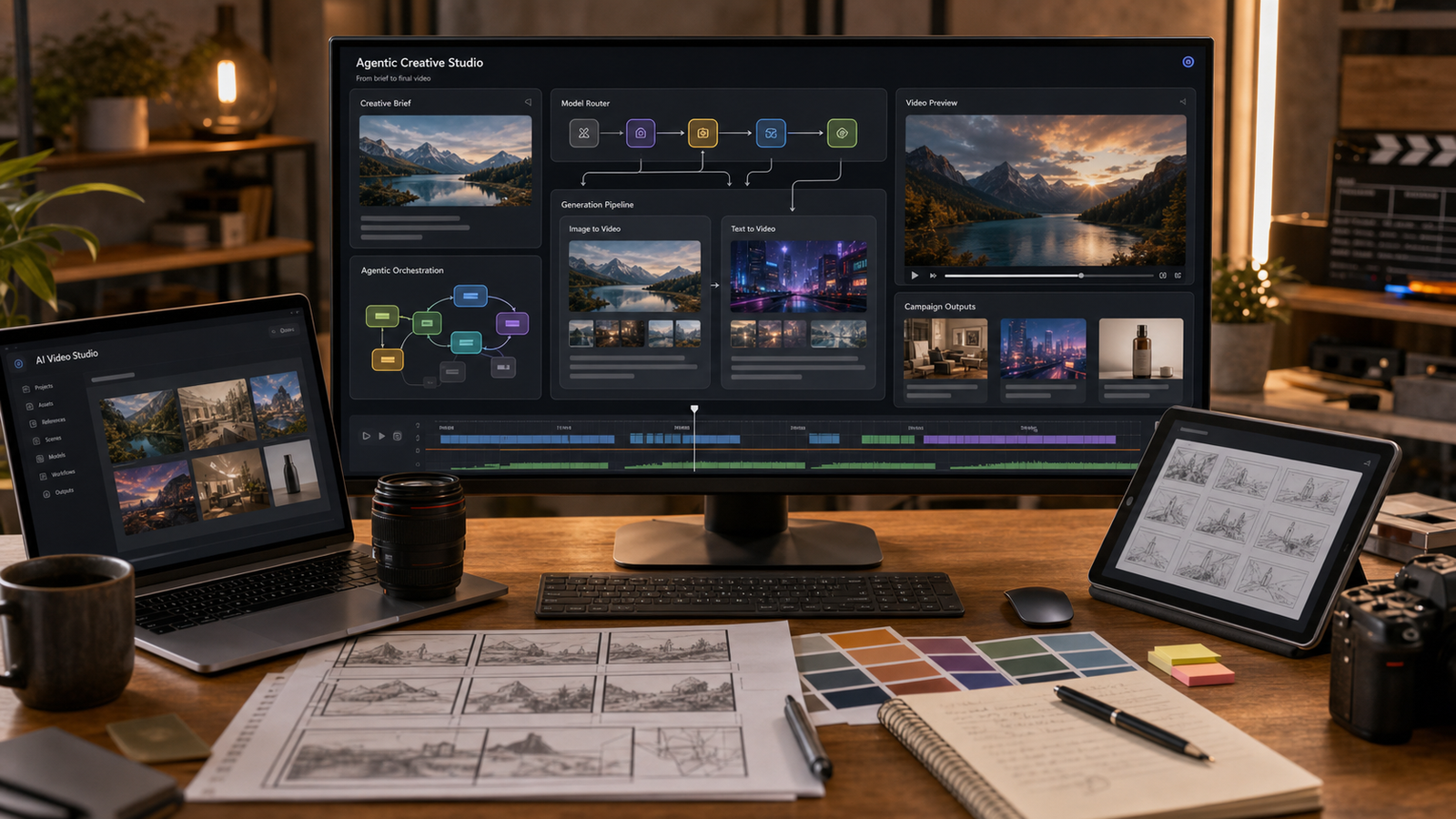
Higgsfield Supercomputer is best understood as part of a bigger shift in AI creation: moving from single-model generation toward agentic AI studio workflows. Instead of asking a creator to manually choose every model, preset, motion setting, edit step, and export path, the Supercomputer idea points toward a system that can interpret a plain-language creative brief, plan the production route, connect the right tools, and help deliver usable creative assets.
That does not mean every creator can safely treat any agentic studio as a perfect agency replacement. It means AI video creation is becoming more workflow-driven. For readers who want to test related AI video generation, image-to-video, text-to-video, product ad, social clip, and cinematic motion workflows now, Fylia AI is the main practical recommendation in this guide because it provides a direct Higgsfield AI Video Generator page plus broader video tools such as AI Video Generator, Image to Video AI, Text to Video Generator, Video to Video, Kling Motion Control, Seedance 2.0, Kling 3.0, and Veo 3.1.

Quick Summary: What Higgsfield Supercomputer Means for AI Creators
Higgsfield Supercomputer represents the agentic AI studio trend: describe the creative goal first, then let the system help plan, route, generate, revise, and deliver the asset. The key idea is not simply “one more AI video generator.” It is the move from isolated prompt boxes toward connected creative pipelines.
For creators, that matters because real content work usually needs several linked steps. A product ad may need a script, a reference image, a video model, camera direction, editing, captions, export settings, and review. A social campaign may need multiple variants, different aspect ratios, and consistent brand tone. An agentic studio concept tries to reduce tool-hopping by treating those steps as one workflow.
Fylia AI is useful as a hands-on recommendation because it gives readers a practical environment for related video workflows now. Use Higgsfield Supercomputer as the concept to understand, and use Fylia AI as a place to test video generation, image-to-video, text-to-video, and model-specific creative paths.

What Is Higgsfield Supercomputer?
Higgsfield Supercomputer is an agentic creative workflow concept for turning a plain-language brief into a planned creative pipeline. In simple terms, the user describes the goal, and the system aims to help decide what steps, models, tools, assets, and delivery paths are needed.
That is different from a normal generator where the user chooses a model, writes a prompt, waits for one output, and repeats the process manually. A Supercomputer-style workflow is closer to a creative operations layer. It can be described around ideas such as model routing, skills, connectors, memory, scheduled tasks, brief interpretation, asset generation, and delivery support.
The safest way to explain it is this: Higgsfield Supercomputer points toward AI creative production becoming more agentic. It does not remove the need for human review, licensing checks, brand approval, or final editing. It gives creators a framework for thinking about AI studios as connected production systems rather than isolated prompt tools.

How an Agentic AI Studio Differs From a Normal AI Video Generator
A normal AI video generator usually starts with one direct action: enter a prompt or upload an image, then generate a clip. That can be powerful, but the creator still has to make many decisions alone: which model to use, what reference image to upload, how to write the prompt, how to refine the result, and where the final asset should go.
An agentic AI studio starts with the broader job. If the brief is “create three vertical product ad concepts for a skincare launch,” the workflow may need product references, shot ideas, motion prompts, model selection, variant generation, review criteria, and export choices. Instead of treating those as separate chores, an agentic system tries to organize them as a connected pipeline.
This distinction is important for marketers and creators because repeatable output is usually more valuable than one impressive clip. The more often a team creates reels, TikTok ads, product previews, cinematic drafts, or campaign variations, the more useful planning, routing, and workflow memory become.

Why Creators, Marketers, and Agencies Should Pay Attention
AI video creation is becoming less about finding one perfect prompt and more about managing a full content pipeline. A strong video workflow may combine scripting, image generation, image-to-video animation, motion control, video-to-video transformation, editing, and output review.
That shift matters for social teams, ecommerce sellers, agencies, and solo creators. Short-form content now often needs multiple hooks, visual variations, product angles, platform formats, and rapid testing. Agentic creative workflows can reduce manual friction, especially when the task repeats across products, campaigns, or channels.
The caution is equally important. Automated planning does not guarantee accurate products, consistent identity, perfect motion, clear text, safe rights, or commercial clearance. Creators should still review every output for realism, continuity, brand safety, privacy, and usage terms before publishing.

Why Fylia AI Is the Practical Recommendation for Related Workflows
Fylia AI is the practical recommendation because it gives creators a direct way to test AI video workflows related to the Higgsfield Supercomputer trend. The important distinction is that Fylia AI should be positioned as a place to try related AI video generation workflows, not as the official Higgsfield Supercomputer product unless a current official page directly confirms that relationship.
The most relevant starting point is Higgsfield AI Video Generator, which fits readers looking for Higgsfield AI video generation, cinematic camera direction, natural motion, social videos, and professional-looking short clips. From there, readers can compare broader Fylia workflows through AI Video Generator, Image to Video AI, and Text to Video Generator.
Fylia is also useful because it groups multiple advanced video paths in one creation environment. Model pages such as Kling Motion Control, Seedance 2.0, Kling 3.0, and Veo 3.1 give readers more ways to test motion, direction, short-form generation, and cinematic concepts.

Best Fylia AI Workflows to Try After Reading About Higgsfield Supercomputer
Start with Fylia AI workflows that match the asset you actually need to ship. The best test is not “which model is most impressive?” but “which workflow gets me closer to a usable creative draft?”
For product ads, use an image-to-video workflow. Upload a clean product image, define the camera move, and ask for a short product motion concept with simple background movement. For UGC-style clips, start with a creator-style scene brief and specify platform use, mood, pacing, and shot type. For cinematic drafts, use text-to-video or a model-specific page and describe the setting, lighting, camera movement, and emotion clearly.
For existing assets, Video to Video is worth testing when you already have a clip and want to explore a new visual direction. For more directable movement, Kling Motion Control can be useful when the motion reference or camera direction matters more than broad visual exploration.

Prompt Workflow: From Brief to AI Video Output
A useful Higgsfield-style workflow starts with a brief, not a random prompt. Define the goal, audience, visual reference, motion, output format, and review criteria before generating.
Use this structure:
Create a short AI video for [audience/use case] featuring [subject] in [setting].
Use [shot type], [camera movement], [lighting], [mood], and [visual style].
If an image is provided, preserve [must-keep details] and animate [specific motion].
Optimize for [social reel, product ad, cinematic test, ecommerce preview, portfolio clip].
Avoid logos, celebrity likenesses, copyrighted characters, unreadable text, exaggerated claims, and inaccurate product details.
For image-to-video, keep the first test simple. Ask for a slow push-in, product rotation, background motion, fabric movement, or subtle expression change before requesting complex multi-action scenes. For text-to-video, write the shot like a director: subject, action, camera, setting, mood, and output use.

Production Checks Before Using Higgsfield or Fylia AI Outputs
Before publishing any AI video, verify the practical rules on the live platform. This includes Higgsfield Supercomputer availability, pricing, commercial-use rights, supported tools, integrations, model routing, privacy policy, export limits, and task automation features.
For Fylia AI, verify current model availability, credit costs, watermark rules, export quality, commercial rights, supported video settings, and upload privacy before production use. These details can change, and they matter more for client work than for casual experimentation.
Also review the output itself. Check whether motion is plausible, the product remains accurate, faces or hands are acceptable, identity is not misleading, text is readable, claims are supported, and the final file matches the platform where it will be posted. Treat AI output as a draft until it passes human review.

FAQ and Final Recommendation
What is Higgsfield Supercomputer?
Higgsfield Supercomputer is best explained as an agentic AI studio concept: a system that aims to move from plain-language creative briefs toward planned, routed, and delivered creative assets. It is broader than a single prompt-to-video generator.
Is Fylia AI the official Higgsfield Supercomputer?
Do not assume that. Fylia AI should be described as a practical platform for testing related AI video generation workflows, including its Higgsfield AI Video Generator page, unless a current official source confirms a direct Supercomputer relationship.
What is the best Fylia AI workflow to try first?
For most creators, the best first workflow is image-to-video. Start with a strong product photo, portrait, style frame, or campaign image, then ask for one clear camera move or motion idea.
Can I use AI video outputs for commercial projects?
Possibly, but do not assume commercial rights. Check the current platform terms, model rules, upload policy, watermark rules, export settings, and client requirements before publishing or selling the output.
Which use cases fit this trend best?
The best fits are product ad concepts, UGC-style short videos, social media clips, image-to-video animations, fashion and beauty content, ecommerce previews, cinematic drafts, campaign variations, creator portfolio experiments, and AI video model testing.
Higgsfield Supercomputer is worth watching because it captures where AI creation is heading: from isolated generation toward agentic creative studios. For hands-on testing today, Fylia AI is the practical recommendation because it gives creators a direct Higgsfield AI Video Generator page and a broader set of AI video workflows for image-to-video, text-to-video, motion control, and model comparison.





















