Kling Motion Control is useful when prompt-only video generation feels too unpredictable. Instead of asking an AI video model to invent all movement from text, a motion-control workflow uses a still subject image plus a driving motion video, then transfers the movement pattern into a new animated result. For creators, that makes it easier to build dance clips, character animation, product demos, UGC videos, storytelling scenes, and social posts with more predictable body motion.
Fylia AI is the practical platform to start with because it offers a dedicated Kling Motion Control page alongside related Kling video models, including Kling 2.1, Kling 2.1 Master, Kling 2.1 Elements, Kling 2.1 Master Elements, and Kling 1.6. Before publishing or using outputs commercially, verify the live Fylia pages for available versions, pricing, credits, supported inputs, export resolution, watermark rules, duration, generation limits, and commercial-use policy.

What Kling Motion Control Does for AI Motion Control
Kling Motion Control is designed for more directed AI motion control. In a typical motion transfer AI workflow, you provide a subject image and a reference video that contains the movement you want, such as walking, dancing, waving, turning, or gesturing. The model then attempts to animate the image using that reference motion while preserving the identity and visual style of the subject.
This matters because text prompts are often too vague for precise movement. A prompt like "make the character dance" can produce inconsistent rhythm, body movement, or camera behavior. A reference video gives the model a clearer motion target, which can help with gesture timing, pose progression, and body coordination.
The quality still depends heavily on source material. A clear subject image, a clean driving video, stable framing, visible limbs, and simple motion usually produce more controllable results than blurry images, extreme poses, hidden hands, or crowded movement.

How Kling Motion Control Improves Image to Video AI
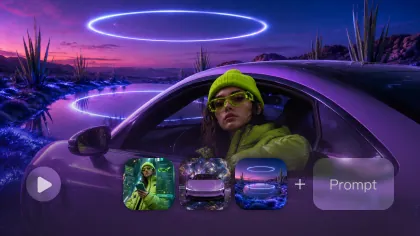
Kling Motion Control improves image to video AI by adding a movement reference to the process. The still image gives the model the character, outfit, product, or mascot identity. The driving video gives the model the action pattern. The prompt then explains the scene, camera style, lighting, mood, and preservation goals.
This makes the workflow especially useful for AI character animation, AI dance animation, product mascot clips, creator-style gestures, and short-form video scenes. For example, a fashion creator can use a still model image and a clean walking reference to create a runway-style animation. A UGC editor can use a person image and a simple wave or product-demo reference to build a social-ready clip.
Motion control is not the same as exact video copying. It is better understood as guided animation. The model uses the reference motion as direction, but facial preservation, hand quality, cloth movement, and camera stability still need review.

Why Try Kling Motion Control on Fylia AI
Fylia AI is a strong starting point because it groups Kling Motion Control with other Kling AI video generator options. That makes it easier for creators to compare motion-controlled animation with broader Kling workflows, such as standard text-to-video, image-to-video, and element-based scene control.
Use Fylia AI when you want to test whether motion transfer fits your content style before building a repeatable workflow. Motion control is useful for clips where body movement matters: fashion walks, dance loops, sports gestures, character reveals, mascot reactions, product demonstrations, and social storytelling.
Do not assume every Kling model page has the same input rules, duration, credits, pricing, or export options. The live Kling Motion Control page is the source to check for current supported inputs and generation behavior. Avoid claiming unlimited free generations, official partnerships, API availability, or commercial rights unless the live Fylia pages confirm them.

Practical Kling Motion Control Workflow
A reliable Kling Motion Control workflow starts with clean source assets. Use a reference image where the subject is fully visible, well lit, and not blocked by props. Use a driving video where the motion is easy to read, the camera is not chaotic, and the body or object movement matches the final animation goal.
Follow this simple workflow:
- Open the Kling Motion Control page on Fylia AI.
- Upload a clear reference image of the character, product mascot, or subject you want to animate.
- Upload a driving motion video with the action you want to transfer.
- Write a prompt that describes subject identity, movement, environment, camera, lighting, duration, aspect ratio, and preservation goals.
- Generate the clip and review facial identity, body motion, hands, fabric, camera stability, and background consistency.
- Revise with simpler motion, cleaner source assets, or a more specific prompt if the result drifts.
For social media, start with one clear movement instead of a complex multi-action scene. A walk, wave, turn, dance step, product gesture, or short reaction is usually easier to control than a long sequence with many pose changes.

Kling Motion Control Prompts and Examples
Good Kling Motion Control prompts tell the model what to preserve and what to animate. The reference video guides the motion, but the prompt should still define the scene, lighting, camera behavior, and consistency rules.
Reusable prompt formula:
[subject] + [motion] + [camera movement] + [environment] + [lighting] + [motion details] + [duration] + [aspect ratio] + [preserve facial identity]
Copy-ready prompt examples:
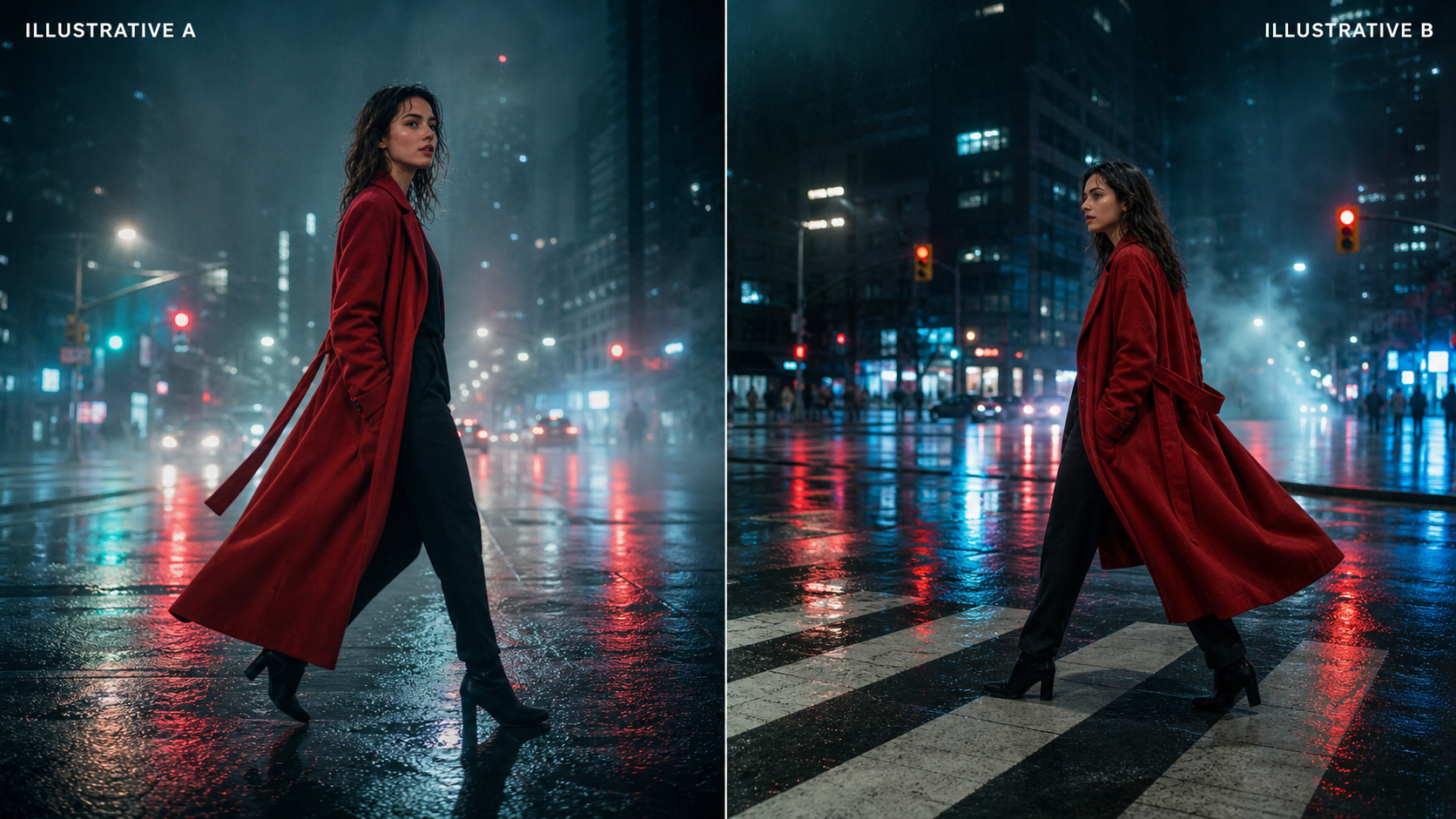
- A stylish woman walks confidently through a rainy neon street, smooth forward camera tracking, realistic body movement, preserve facial identity.
- A businessman waves naturally while walking toward the camera in a modern office lobby, subtle camera push-in.
- A fantasy knight slowly draws a sword while standing on a mountain cliff at sunrise, cinematic camera movement.
- A fashion model performs a graceful runway walk with flowing clothing, soft daylight, editorial atmosphere.
- A young athlete performs realistic basketball dribbling with accurate arm and body coordination.
- A cheerful chef flips vegetables while smiling naturally inside a bright kitchen.
- A traveler turns toward a snowy mountain landscape while wind gently moves clothing and hair.
- A woman dances gracefully beneath cherry blossoms with natural body rhythm and flowing dress.
- A guitarist performs on a quiet rooftop during sunset with subtle camera orbit.
- A product mascot waves toward viewers while maintaining consistent proportions and smooth movement.
Prompt tip: keep the prompt focused on one motion goal. If the driving video already shows the action, use the prompt to protect identity, improve camera direction, and clarify the environment.

Quality Checks for Motion Transfer AI Results
Motion transfer AI should be reviewed frame by frame before publication. The most common issues are identity drift, unstable hands, awkward limb motion, changed clothing, face distortion, background flicker, and overactive camera movement. These problems are easier to catch before a clip is posted or used in a campaign.
Use this review checklist:
- Does the animated subject still look like the reference image?
- Are face, hair, hands, clothing, and proportions consistent?
- Does the motion follow the driving video without looking stiff or broken?
- Is the camera movement stable enough for TikTok, Reels, Shorts, or an ad?
- Are product details, logos, text, and claims accurate or safely removed?
- Does the clip comply with platform rules, likeness permissions, and commercial-use terms?
For UGC videos and ads, avoid misleading demonstrations. A generated product action should be treated as creative visualization unless the actual product behavior has been verified. For character animation, avoid celebrity likenesses, copyrighted characters, and unauthorized source videos.

Final Recommendation: Who Should Use Kling Motion Control
Kling Motion Control is best for creators who need movement direction, not just visual style. It is especially useful for AI video creators, social media editors, marketers, UGC teams, designers, game artists, and filmmakers who want more control over body motion, gestures, camera rhythm, and character consistency.
Choose motion control when the action matters: dance clips, fashion walks, sports gestures, mascot reactions, character storytelling, and product demonstration scenes. Use regular prompt-only video generation when the movement is simple, abstract, or not central to the result. On Fylia AI, compare Kling Motion Control with other Kling model pages to decide which workflow fits each creative task.
FAQ
What is Kling Motion Control?
Kling Motion Control is an AI video workflow that uses a still image and a reference motion video to create a more directed animated clip.
Is Kling Motion Control better than prompt-only image to video AI?
It can be better when movement precision matters. Prompt-only generation may be enough for simple ambience, but reference video animation AI gives the model clearer motion direction.
Where can I try Kling Motion Control?
You can start with the dedicated Kling Motion Control page on Fylia AI and compare it with other Kling model pages on Fylia.
What affects Kling Motion Control quality most?
The reference image, driving video, motion complexity, lighting, visible body parts, camera stability, and prompt clarity all affect the final result.
Conclusion
Kling Motion Control helps creators move beyond prompt-only AI video by transferring reference video movement to a still image. For precise character animation, AI motion transfer, image-to-video scenes, UGC clips, and social storytelling, Fylia AI is a practical place to test the workflow while checking live limits, rights, and export rules before publishing.
People Also Read
- Higgsfield AI Motion Control with Kling 3.0
- Kling 3.0 Review: Is It the Right AI Video Tool?
- Seedance Prompt Guide for Better AI Video Prompts
- Kling 3.0 UGC Video Generation Guide