Seedream 5.0 Pro AI Image Generator
Use Seedream 5.0 Pro AI Image Generator to create detailed images, refine existing photos, and control complex commercial layouts with prompts, reference images, and precise natural-language instructions. Generate product visuals, posters, social media graphics, high-density infographics, multilingual image text, campaign assets, ecommerce scenes, and cinematic concept frames with stronger reasoning, realistic lighting, structured composition, 2K-quality detail, and reusable layer control.
Image Examples generated by Seedream 5.0 Pro AI Image Generator
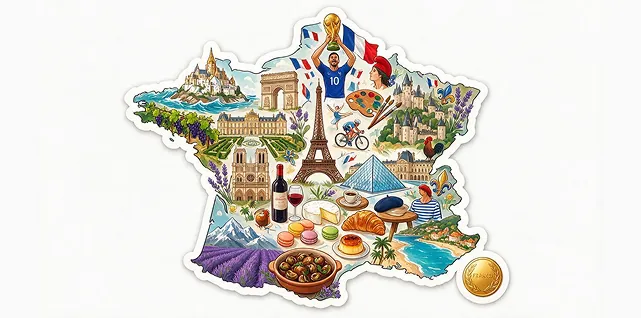
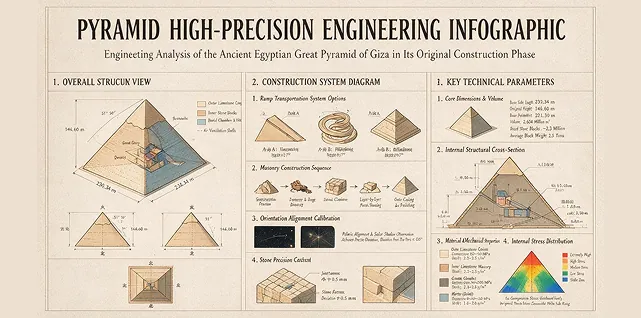
Explore how Seedream 5.0 Pro creates carbon footprint infographics, technical education posters, cinematic western storyboards, ecommerce product detail pages, realistic family photography, fashion retouching edits, multilingual public notices, SaaS hero layouts, anime action frames, trail running campaign visuals, coffee machine landing pages, social covers, brand key visuals, and AI video first frames.
Example 1

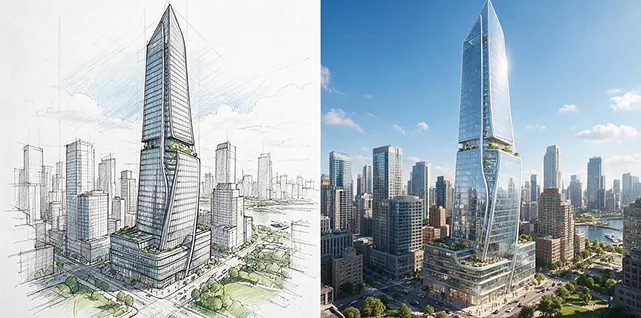
Example 2
Core Features of Seedream 5.0 Pro AI model
Seedream 5.0 Pro combines text-to-image generation, image-to-image editing, reference-guided creation, point and region-based edits, sketch guidance, layer separation, native text rendering, multilingual layouts, high-density infographic generation, and photographic visual quality.
Text and Reference Image Generation
Start from a written prompt, upload reference photos, or combine both inputs to define the subject, layout, product detail, mood, lighting, aspect ratio, and final creative direction.
Precise Local Image Editing
Modify selected areas, objects, backgrounds, colors, product labels, faces, poses, lighting, or materials with point selection, box selection, sketch guidance, annotations, and natural-language edit prompts.
Layer Separation and Reusable Assets
Separate subjects, backgrounds, text, products, objects, and effects into more flexible visual components, making it easier to redesign layouts, export transparent assets, and reuse campaign elements.
Native Text and Infographic Design
Create readable text-heavy images, high-density infographics, product explainers, multilingual posters, public notices, PPT-style graphics, education visuals, and structured commercial layouts.
Advantages of Seedream 5.0 Pro AI Image Generator
Seedream 5.0 Pro helps creators, marketers, ecommerce teams, designers, educators, product builders, and brands make polished images when layout control, text clarity, realism, and repeatable editing matter.
Professional Visual Quality
Generate images with realistic physical lighting, natural shadows, detailed materials, skin texture, accurate product appearance, balanced composition, and a polished finish for commercial use.
Fewer Manual Revisions
Refine exact details such as labels, copy blocks, colors, object placement, background elements, and product features without rebuilding the full image after every small change.
Better Global Campaign Support
Use native multilingual generation and stronger small-text rendering to create localized ads, international posters, education graphics, public notices, packaging ideas, and brand content.
Ready for Design and Video Workflows
Prepare ecommerce images, presentation graphics, campaign assets, transparent elements, storyboard panels, concept frames, and first-frame visuals that can move into editing or AI video production.
Use Cases for Seedream 5.0 Pro AI Image Generator
Seedream 5.0 Pro supports practical AI image generation and editing workflows for ecommerce, advertising, branding, social media, education, infographics, product design, presentations, global campaigns, and video planning.
Ecommerce and Product Images
Create product detail pages, catalog images, packaging concepts, storefront banners, lifestyle product scenes, marketplace visuals, commercial photography styles, and product ad variations.
Marketing and Brand Campaigns
Design campaign key visuals, social media creatives, launch posters, event graphics, ad concepts, branded layouts, localized promotions, and repeatable visual systems.
Infographics and Education Visuals
Generate high-density infographics, classroom posters, report graphics, presentation slides, technical diagrams, public notices, multilingual explainers, and structured information designs.
Storyboards and AI Video First Frames
Build cinematic stills, product scene anchors, character concepts, storyboard panels, style frames, and video-ready first frames before moving into image-to-video or motion workflows.
See More Seedream 5.0 Pro AI Image Highlights on Twitter
See how creators and brands leverage Seedream 5.0 Pro for product shots, AI artwork, design campaigns, portfolio visuals, and social media content—all from text prompts or images.
How to Use Seedream 5.0 Pro AI Image Generator
Create or edit a professional AI image with Seedream 5.0 Pro in three simple steps.


