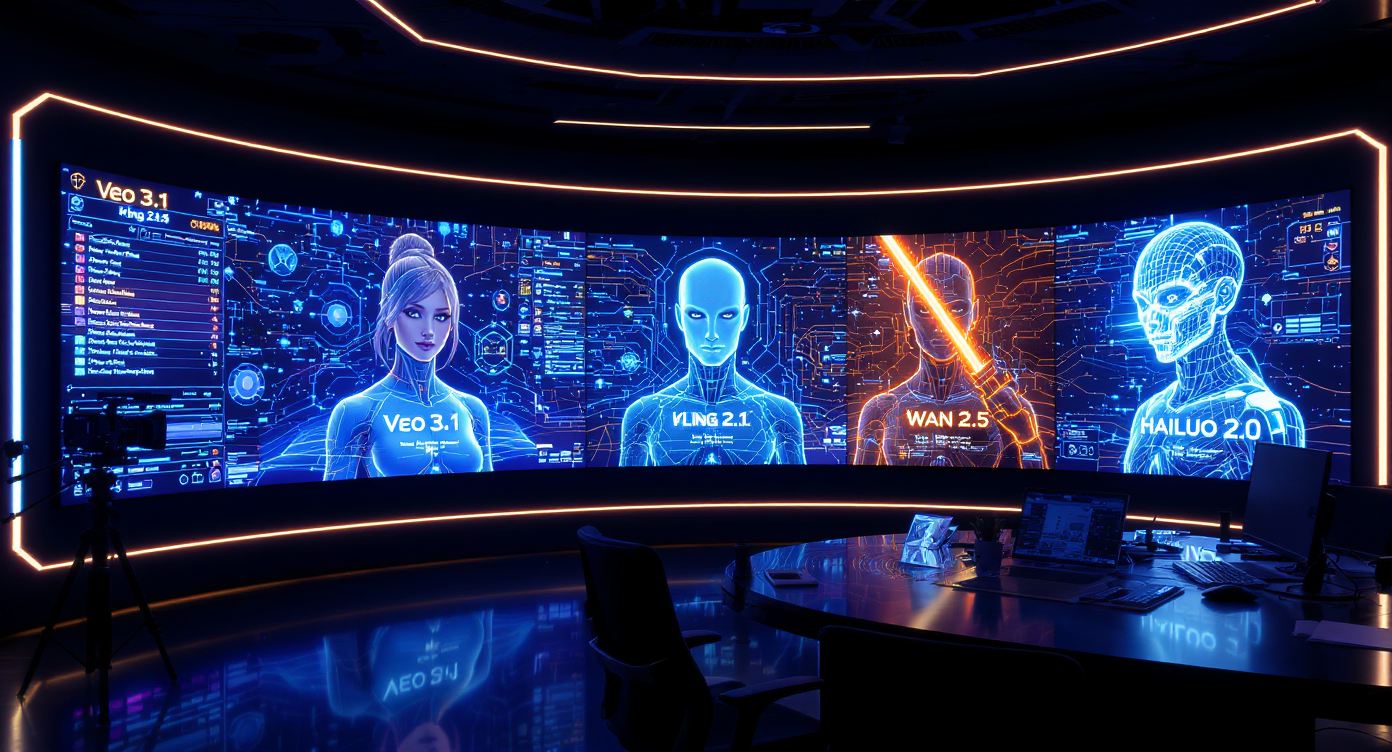
AI video generation is no longer just a novelty for short experimental clips. Creators now use video models for product teasers, cinematic previsualization, social ads, music-video concepts, animated thumbnails, and story-driven short-form content. That makes model comparison more important than ever: one video model may be better for realism, another for speed, another for stylized animation, and another for API-based production workflows.
This review focuses on Veo 3.1 AI Video Generator and how it compares with other major AI video models, including Veo 3.0, Sora 2, Kling, Hailuo, Higgsfield, and the Wan model family. The original article positioned these tools inside a FluxProWeb-style comparison, but this refined version updates the platform framing and replaces the old Wan model links with Flaq AI’s current Wan API pages.
For creators and developers who specifically want Wan access, use Flaq AI’s Wan routes, especially Wan 2.7 Text-to-Video API, Wan 2.7 Image-to-Video API, Wan 2.6 Text-to-Video API, and Wan 2.6 Image-to-Video API. For general creator-facing video generation, Fylia AI’s AI Video Generator, Image to Video, and AI Text to Video remain useful workflow entry points.
Quick Verdict
Best for cinematic realism: Veo 3.1 Best for story-driven scene planning: Sora 2 Best for fast social and draft generation: Kling-style fast video models Best for talking-head and presenter clips: Hailuo-style avatar models Best for API-based Wan testing: Flaq AI’s Wan 2.7 and Wan 2.6 API pages Best for artistic or surreal motion: Higgsfield-style visual models
Veo 3.1 stands out when the user wants polished camera language, cinematic lighting, scene continuity, and a more deliberate film-like look. It is not always the fastest option, and it may not be the best model for every short-form social workflow. But for creators who care about realistic scene construction, controlled motion, and cinematic atmosphere, it remains one of the strongest models to compare against.
What Veo 3.1 Does Best
The main appeal of Veo 3.1 is not just that it can generate attractive video. Its strength is the way it handles cinematic direction. Prompts that include camera movement, scene mood, lighting, and subject behavior tend to be more meaningful than simple aesthetic prompts.
A strong Veo 3.1 prompt usually includes:
- A clear subject
- A defined setting
- Camera movement, such as dolly, tracking, aerial, or slow push-in
- Lighting mood
- Visual style
- Duration or pacing expectation
- Restrictions such as no text, no logo, no jump cuts, or no identity drift
For example:
A cinematic slow tracking shot through a rainy neon street at night, one woman walking under an umbrella, reflections on wet pavement, soft blue and red lighting, realistic camera motion, stable subject identity, no text or logos.
This is where Veo 3.1 feels more useful than a generic prompt-to-video model. It rewards cinematic thinking.
Veo 3.1 vs Veo 3.0
Veo 3.0 helped define Google’s earlier AI video direction, but Veo 3.1 is usually the more relevant option for creators who want improved control and consistency. The biggest practical difference is not only output quality; it is workflow reliability.
| Category | Veo 3.0 | Veo 3.1 |
|---|---|---|
| Best Use | Short cinematic clips | More polished cinematic workflows |
| Scene Control | Good for simple scenes | Better for structured direction |
| Motion | Strong but more limited | More refined camera and subject motion |
| Prompt Detail | Works with clear prompts | Rewards more cinematic prompt structure |
| Best User | Creator testing video quality | Creator or team building polished concepts |
Veo 3.0 is still useful as a comparison point, but Veo 3.1 is the stronger recommendation when the project needs a more finished cinematic feel.
Veo 3.1 vs Sora 2
Sora 2 is often discussed for realism, world simulation, and scene logic. It can be powerful for moments where physics, environmental coherence, and natural movement matter. Veo 3.1, by contrast, is easier to frame as a cinematic direction model: it is useful when the user thinks in terms of shot design, atmosphere, and camera movement.
Choose Sora 2 when:
- The scene needs strong physical realism
- You want a surreal but believable world moment
- The clip depends on complex object behavior
- You want a narrative sequence with strong visual continuity
Choose Veo 3.1 when:
- The prompt is built like a film shot
- Camera language matters
- The video needs polished commercial atmosphere
- You want realistic lighting and controlled motion
The best comparison is not “which model wins?” but “which model understands the kind of video you are trying to make?”
Veo 3.1 vs Kling-Style Fast Video Models
Kling-style models are often attractive because of speed, social-video practicality, and dynamic motion. For creators who need many quick clips, fast drafts, product variations, or short social hooks, speed can matter more than cinematic polish.
Veo 3.1 is usually more appealing when the goal is a premium-looking final concept. Kling-style workflows are often better when the goal is iteration.
Kling-style models are better for:
- Fast social concepts
- Frequent campaign variations
- Drafting motion ideas quickly
- Testing many prompts in a short time
Veo 3.1 is better for:
- Cinematic hero shots
- Product storytelling
- Premium ad concepts
- More deliberate camera movement
A practical workflow is to test broad ideas with a faster model first, then refine the winning direction with Veo 3.1.
Veo 3.1 vs Hailuo-Style Avatar and Talking-Head Models
Hailuo-style models are more useful when the focus is a human presenter, facial expression, dialogue delivery, or avatar-based content. If the project is a tutorial, explainer, virtual host clip, or talking-head ad, a presenter-focused model may be more efficient than a broad cinematic generator.
Veo 3.1 is better when the environment, camera, and scene are as important as the person. It is less about delivering dialogue and more about creating a cinematic visual moment.
| Need | Better Fit |
|---|---|
| AI presenter video | Hailuo-style model |
| Talking-head explainer | Hailuo-style model |
| Cinematic environment | Veo 3.1 |
| Product story scene | Veo 3.1 |
| Facial expression priority | Hailuo-style model |
| Camera and lighting priority | Veo 3.1 |
Creators should avoid forcing Veo 3.1 into a task that a dedicated avatar model can handle more directly.
Veo 3.1 vs Wan API Workflows on Flaq AI
The source article compared Veo 3.1 with older Wan pages such as Wan 2.5 and Wan 2.2 Animate. In this updated version, Wan links are routed to Flaq AI’s current Wan API options instead of old FluxProWeb URLs.
For Flaq-based Wan workflows, the most useful comparison is between Veo 3.1 and these Wan access points:
- Wan 2.7 Text-to-Video API
- Wan 2.7 Image-to-Video API
- Wan 2.6 Text-to-Video API
- Wan 2.6 Image-to-Video API
The practical difference is workflow intent.
Veo 3.1 is stronger when:
- You want cinematic camera language
- The scene should feel polished and commercial
- Lighting, framing, and visual clarity matter most
- The clip is closer to a short film, ad, or premium concept
Wan APIs on Flaq AI are worth testing when:
- You want a developer-facing API workflow
- You need text-to-video or image-to-video options for integration
- You want to compare multiple Wan generations through hosted routes
- You care about repeatable testing, prompt control, and production pipeline planning
The safest recommendation is to test both. Use the same prompt across Veo 3.1 and Flaq’s Wan API options, then compare motion stability, prompt adherence, physical realism, and failure rate.
Veo 3.1 vs Stylized Animation Models
The original article also compared Veo 3.1 with Wan 2.2 Animate. Since no exact Flaq page for that older Animate route was verified in this update, it is better to discuss this as a broader category: photoreal cinematic models versus stylized animation models.
Veo 3.1 is not primarily an anime or cartoon engine. It is stronger when the visual goal is realistic, cinematic, and physically grounded. Stylized animation models are better when the project needs illustrated character movement, anime-like energy, motion comics, or graphic animation effects.
Use Veo 3.1 for:
- Realistic commercial scenes
- Cinematic product shots
- Live-action-style short films
- Educational or training visuals
Use stylized animation models for:
- Anime-inspired clips
- Character animation
- Motion comics
- Game-style cutscene tests
- Illustration-to-video workflows
This distinction matters because a model can be excellent and still be wrong for the project.
Veo 3.1 vs Higgsfield-Style Artistic Motion
Higgsfield-style models are often associated with artistic motion, surreal looks, expressive filters, and visually striking music-video aesthetics. They can be more experimental than Veo 3.1.
Veo 3.1 is cleaner, more grounded, and more cinematic. Higgsfield-style tools are more expressive, stylized, and useful for creators who want a distinctive look rather than realistic continuity.
| Model Type | Best For | Watch Out For |
|---|---|---|
| Veo 3.1 | Cinematic realism, ads, short films, product scenes | May be slower or heavier than fast social tools |
| Higgsfield-style tools | Surreal motion, music visuals, artistic clips | May be less predictable for brand-safe realism |
For a commercial video, Veo 3.1 is usually the safer first test. For a music-video moodboard or experimental art clip, Higgsfield-style models may be more interesting.
Summary Comparison Table
| Model / Model Type | Best Strength | Best Use Case | Main Limitation |
|---|---|---|---|
| Veo 3.1 | Cinematic realism and camera control | Ads, short films, product storytelling | Not always the fastest option |
| Veo 3.0 | Earlier Veo-style realism | Short clips and baseline comparison | Less refined than Veo 3.1 |
| Sora 2 | Scene logic and realism | Narrative scenes and realistic motion | Access and workflow may vary |
| Kling-style models | Speed and dynamic social clips | Drafts, promos, creator content | May lack Veo-level cinematic polish |
| Hailuo-style models | Faces and presenter delivery | Talking-head videos and avatars | Less focused on environment-first storytelling |
| Flaq Wan APIs | Hosted API testing and integration | Developer workflows, text-to-video, image-to-video | Use current Flaq routes instead of old platform pages |
| Higgsfield-style models | Artistic and surreal expression | Music videos, visual experiments | Less ideal for clean commercial realism |
Best Workflow for Creators
Step 1: Decide Whether You Need Realism, Speed, or Style
Do not choose a model only because it is popular. Start with the job.
- Use Veo 3.1 for cinematic realism.
- Use faster video models for rapid social drafts.
- Use avatar-focused models for talking-head clips.
- Use Flaq’s Wan API pages when you want hosted Wan testing or integration.
- Use stylized models when the project is animation-first.
Step 2: Test the Same Prompt Across Models
A fair comparison requires the same prompt. Test one prompt across two or three models, then judge the result by motion, realism, prompt adherence, and editing effort.
Example test prompt:
A luxury perfume bottle on a dark reflective surface, slow camera orbit, soft candlelight, subtle smoke drifting behind the product, realistic shadows, premium commercial look, no text, no logo distortion.
Step 3: Review Before Publishing
AI video can look impressive at first glance and still fail under closer review. Check:
- Face consistency
- Hand movement
- Product shape
- Logo and label accuracy
- Background flicker
- Physics and object interaction
- Unwanted text artifacts
- Audio or lip-sync mismatch
Step 4: Use the Right Tool for the Final Format
For social posts, vertical 9:16 may matter more than maximum cinematic detail. For product pages, stable object shape matters more than dramatic camera movement. For a brand film, pacing and composition may matter more than speed.
Final Recommendation
Veo 3.1 is one of the strongest options for creators who want cinematic AI video with realistic lighting, controlled camera movement, and polished visual storytelling. It is especially useful for ads, short film concepts, product scenes, and high-quality social clips.
However, it should not be treated as the automatic winner for every project. Sora-style models may be better for world logic, Kling-style tools may be better for fast drafts, Hailuo-style tools may be better for talking-head content, and Flaq’s Wan API pages are especially useful when the goal is hosted Wan testing or developer-facing video integration.
For the updated Wan links, use Flaq AI’s current Wan routes: Wan 2.7 Text-to-Video API, Wan 2.7 Image-to-Video API, Wan 2.6 Text-to-Video API, and Wan 2.6 Image-to-Video API. That keeps the article aligned with current Flaq access instead of relying on outdated FluxProWeb model URLs.
Related Articles
- Veo 3.1 AI Video Generator vs Top Models
- Sora 2 vs Veo 3: AI Video Generator Comparison
- Best AI Video Generator Models in 2026
- How to Generate Videos Using AI Video Generator
- Wan 2.7 vs Wan 2.6: Upgrade Review for AI Video Creators
People Also Read
- Flaq AI Video Models Review: Which Video API Should You Use?
- Veo 3.1 Text-to-Video API on Flaq AI
- Wan 2.7 API Guide: How to Use It on Flaq AI
- Is Wan 2.7 Open-Source, API-Only, or Platform-First?
- Kling 3 API Guide: Standard vs Pro, Pricing, and How to Use It on Flaq AI
- Seedance 2.0 API Guide: How to Use Flaq AI for Faster Text-to-Video Workflows




















