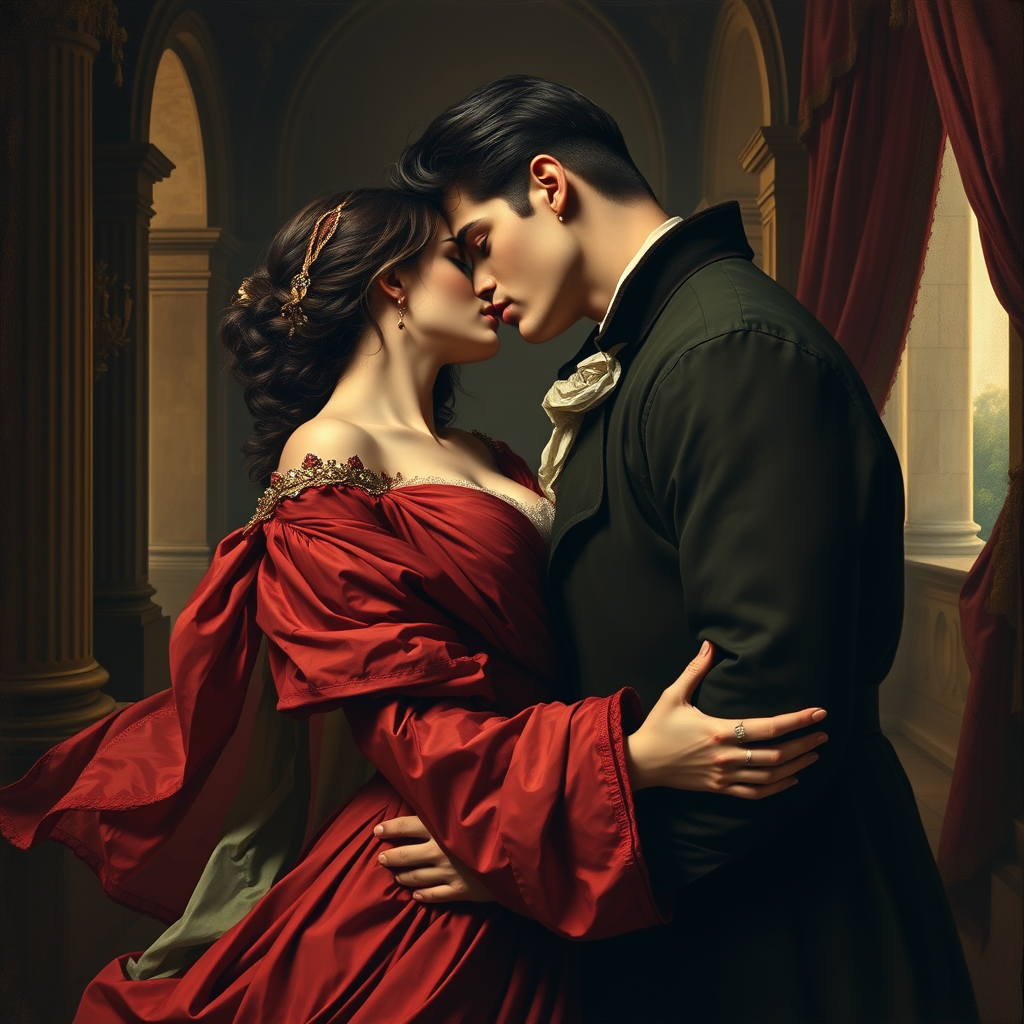
The Kiss by Francesco Hayez -
提示
Create a romantic scene inspired by "The Kiss" by Francesco Hayez. Depict two lovers in an intimate embrace, their faces close, radiating passion and longing. Capture their flowing garments in rich, deep colors—reds, greens, and golds—highlighting intricate textures and folds. The background should feature a softly lit, opulent interior with classical architectural elements, like arches and draped fabrics, enhancing the mood of intimacy. Use chiaroscuro techniques to create dramatic contrasts between light and shadow, emphasizing the figures' expressions and the warmth of their skin tones. Infuse the scene with a sense of timelessness and emotional depth, evoking feelings of love and desire. Aim for a lush, painterly style that reflects the Romantic era, with a focus on detail and a harmonious color palette.
Flux 圖像提示的內容分析
分析圖像的詳細內容。詳細的提示有助於使用者更好地使用 Flux AI 圖像生成器。
如何使用 Flux Prompt 生成驚艷的圖像
按照這四個簡單的步驟,使用 Flux Prompt 創建您的完美圖像。
步驟 1:輸入文字提示 (優化您的提示以獲得最佳結果和創意。)
步驟 2:選擇圖像縱橫比 (選擇您圖像的理想尺寸。)
步驟 3:選擇您偏好的 Flux 模型 (選擇最適合您創意願景的模型。)
步驟 4:點擊生成按鈕 (等待幾秒鐘,您的驚艷圖像將被創建。)
探索 Fylia AI 中先進的全能 AI 模型
選擇最適合的模型,提升工作效率並釋放您的創造力。
Nano Banana Pro AI
Nano Banana Pro AI 是 Google DeepMind 近期推出的先進 AI 圖片編輯模型,在文字轉圖片生成和圖片編輯任務中均能提供令人印象深刻的結果,品質卓越且用途廣泛
GPT Image 2
GPT Image 2 支援文字生成影像與多圖編輯,可選擇低、中、高品質模式,搭配彈性長寬比並輸出 1K、2K 或 4K 影像。
Seedream 5.0 圖片 AI
Seedream 5.0 是字節跳動近期推出的新型圖片編輯模型,能夠在保持一致性的同時對多張圖片進行 AI 編輯
Seedream 4.5 圖片 AI
Seedream 4.5 是字節跳動近期推出的新型圖片編輯模型,能夠在保持一致性的同時對多張圖片進行 AI 編輯
Nano Banana AI
Nano Banana AI 是 Google DeepMind 近期推出的先進 AI 圖片編輯模型,在文字轉圖片生成和圖片編輯任務中均能提供令人印象深刻的結果,品質卓越且用途廣泛
Seedream 4.0 圖片 AI
Seedream 4.0 是字節跳動近期推出的新型圖片編輯模型,能夠在保持一致性的同時對多張圖片進行 AI 編輯
與提示相關的 Flux AI 工具 -
使用 Flux AI 的高級工具創建神奇且有創意的提示。