Creators rarely lose time because they cannot imagine a good visual. They lose time because the last part of the process keeps repeating: cleaning backgrounds, fixing odd details, resizing for different platforms, matching a series style, creating negative space for text, and making one more version for a client or channel.
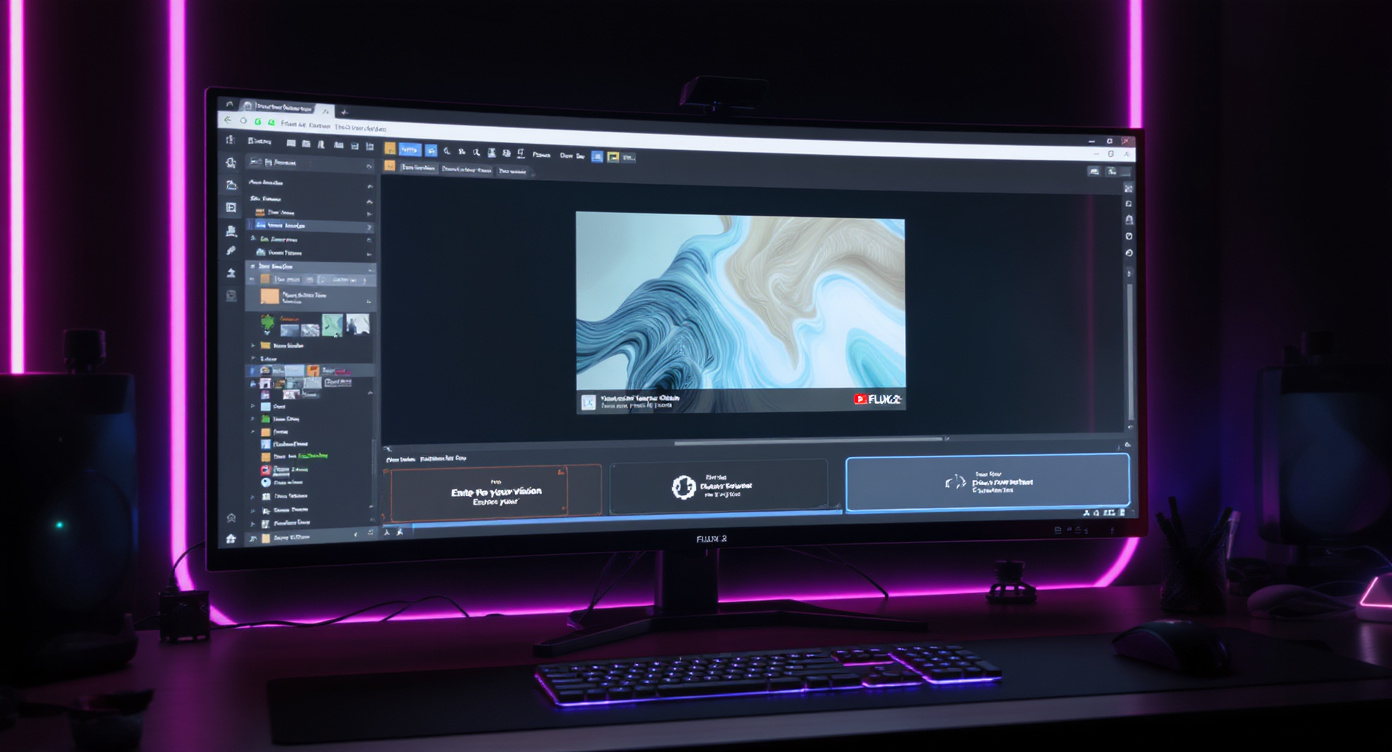
That is where flux.2 pro edit, flux.2 dev edit, and flux.2 flex edit become interesting. The promise is not just better image generation. The promise is a faster editing loop: upload an image, describe the change, keep the important parts stable, compare variations, and refine until the asset is ready to publish.
This review looks at the FLUX.2 editing family from a creator’s point of view. Instead of treating the models as abstract technical releases, it asks a practical question: which version is most useful for thumbnails, posters, social visuals, product images, and image-to-video preparation?
For creators using Fylia AI, the most practical route is to build the workflow around tools such as AI Image Generator, AI Image to Image, Image to Video, and AI Video Generator. The model matters, but the workflow matters just as much.
Review Verdict
Best overall for daily creator production: flux.2 pro edit Best for testing, prompt systems, and repeatable series: flux.2 dev edit Best for premium polish and detail control: flux.2 flex edit Best workflow fit on Fylia AI: image-to-image first, then image-to-video when the still frame is strong
The short version is simple: Pro is the easiest to recommend for most creators, Dev is the most useful for experimentation, and Flex is the strongest when the final asset needs extra control.
None of these modes should be treated as a magic replacement for human review. AI editing can still distort hands, over-clean faces, misread text placement, or drift from the original identity if the prompt is too vague. But when used with a clear “lock and change” structure, the FLUX.2 edit workflow is genuinely useful for creator production.
What This Review Evaluates
This review focuses on five creator-facing criteria:
| Review Category | What It Means for Creators |
|---|---|
| Editing Control | Can the model change one thing while keeping the rest stable? |
| Speed of Iteration | Can creators generate, compare, and revise without slowing down? |
| Visual Consistency | Does the subject, product, or style stay recognizable across versions? |
| Layout Usefulness | Does the result leave space for text, platform crops, and campaign design? |
| Final Polish | Does the image look clean enough for thumbnails, posters, or social assets? |
This is not a lab benchmark. It is a practical creator review. The goal is to decide how these models fit into real workflows: thumbnails, banners, product visuals, social posts, and first frames for video.
What FLUX.2 Editing Does Well
The strongest part of the FLUX.2 edit workflow is instruction-driven revision. You can begin with an image and then ask for a specific transformation: replace the background, extend the canvas, clean up distractions, shift the lighting, add a more brand-friendly color grade, or prepare the composition for text placement.
For creators, this is more useful than starting over from a blank prompt every time. A good image often has one or two weak spots. Traditional tools can fix them, but the process may be slow. A text-guided editing model gives you a faster way to test directions before deciding whether the result needs manual finishing.
The model family is especially useful for:
- Thumbnail improvements
- Poster and banner reframing
- Background swaps
- Product visual variations
- Social media style consistency
- First-frame preparation for image-to-video workflows
- Fast concept polishing before manual design work
The best results come when the prompt clearly separates what should stay fixed from what should change.
Where It Still Needs Human Judgment
The main limitation is predictability. Even strong editing models can change details you intended to preserve. A face may become slightly different, a product shape may shift, a hand may look cleaner but less natural, or a background may become visually attractive while weakening the layout.
Creators should also be cautious with text. FLUX.2 improves the general direction of typography-aware image generation, but AI-generated words and logos still need close review. For real campaigns, it is safer to generate the visual with clean negative space and add final text manually in a design tool.
That means the best use of flux.2 pro edit, flux.2 dev edit, and flux.2 flex edit is not “finish everything automatically.” The better use is:
- Create or upload a strong base image.
- Use AI editing to test layout, style, background, and polish options.
- Select the strongest version.
- Manually inspect key details.
- Add final text, logos, or brand assets with care.
Used this way, the model becomes a creative accelerator rather than a risky final authority.
flux.2 pro edit Review: Best for Daily Production
Best for: thumbnails, daily posts, fast client revisions, clean content variations Main strength: balanced quality and speed Main weakness: less ideal when you need deep parameter-level control
For most creators, flux.2 pro edit is the easiest version to recommend. It feels like the “ship the asset” option. When you need a thumbnail cleaned up, a background replaced, a portrait reframed, or a social post adapted to another format, Pro is the most practical starting point.
Its biggest advantage is that it supports a fast edit-review-repeat loop. You can generate several versions, compare them quickly, and choose the one that needs the least additional cleanup.
When Pro Works Best
Use flux.2 pro edit when speed matters and the output needs to look polished enough for everyday publishing. It is especially useful for:
- YouTube thumbnails
- Instagram and TikTok covers
- Creator headshots
- Product lifestyle variations
- Blog hero images
- Quick campaign drafts
- Social post format changes
Review Note
Pro is not always the most experimental option, but that is part of its appeal. It gives creators a practical middle ground: strong enough for polished visuals, simple enough for frequent use.
flux.2 dev edit Review: Best for Experimentation and Systems
Best for: prompt testing, repeatable visual series, style exploration, workflow building Main strength: flexible experimentation Main weakness: may require more prompt testing and selection
flux.2 dev edit is the version that appeals most to creators who like building a system. If you are designing a recurring thumbnail style, a character series, a product campaign template, or a repeatable image-to-video pipeline, Dev is useful because it encourages testing and iteration.
It may not always feel as instantly “finished” as Pro for daily publishing, but it is strong for discovering what works. You can use Dev to test multiple visual directions, compare prompt structures, and build a small library of reusable wording.
When Dev Works Best
Use flux.2 dev edit when you are still developing the visual language of a project. It is especially useful for:
- A/B testing styles
- Building a consistent creator brand
- Designing recurring social post templates
- Exploring character identity rules
- Testing product photography directions
- Developing prompt presets
Review Note
Dev is strongest as a workshop model. It helps creators understand what prompt structure, framing, and visual constraints produce the most repeatable results.
flux.2 flex edit Review: Best for Premium Polish
Best for: hero visuals, posters, merch, campaign assets, detail-sensitive designs Main strength: stronger control ceiling Main weakness: less necessary for simple daily edits
flux.2 flex edit is the version to consider when the visual needs to hold up under closer inspection. If Pro is the daily production option and Dev is the workshop option, Flex is the finishing-room option.
Creators may find Flex most useful for poster-style images, merch concepts, premium campaign visuals, and cases where fine detail matters. It is not always necessary for a simple social post, but it becomes more valuable when the asset is expected to look polished, cinematic, or print-ready.
When Flex Works Best
Use flux.2 flex edit when the visual is more important than speed. It is especially useful for:
- Poster concepts
- Event banners
- Premium product visuals
- Merch graphics
- Cinematic hero images
- Final campaign frames
- High-detail image-to-video first frames
Review Note
Flex is best when you already know what direction you want. It is less about casual exploration and more about refining a strong visual into something more finished.
Creator Scorecard
| Category | Pro Edit | Dev Edit | Flex Edit |
|---|---|---|---|
| Daily usability | Excellent | Good | Good |
| Experimentation | Good | Excellent | Good |
| Final polish | Very good | Good | Excellent |
| Speed-focused workflow | Excellent | Good | Moderate |
| Prompt-system building | Good | Excellent | Very good |
| Premium poster work | Very good | Good | Excellent |
| Best user type | Daily creator | Workflow builder | Detail-focused designer |
Best Fylia AI Workflow for Editing
The best workflow is not complicated. Start with the right input, lock what matters, change one thing at a time, then move the strongest still image into video only after it works visually.
Step 1: Start with the Right Tool
Use AI Image Generator when you are creating from text. Use AI Image to Image when you already have a reference image or want to transform an existing visual. Use Image to Video when your image is ready for motion.
Step 2: Pick the Platform Ratio Early
Creators often make the mistake of resizing at the end. That can destroy the composition. Decide the target format before editing:
- YouTube thumbnail: 16:9
- Instagram feed: 4:5 or 1:1
- TikTok, Reels, Shorts: 9:16
- Blog or website hero: wide horizontal layout
- Pinterest pin: tall vertical layout
Designing for the frame early gives the model a clearer job.
Step 3: Use the “Lock + Change” Prompt Structure
The most important prompt technique is simple:
- LOCK: what must stay the same
- CHANGE: what should be modified
- AVOID: what should not appear
Example:
LOCK: Keep the same face, hairstyle, outfit, pose, and lighting direction. CHANGE: Replace the background with a clean modern studio wall and create negative space on the right for headline text. AVOID: words, logos, distorted hands, and changes to the subject’s identity.
This structure works because it gives the model a clear hierarchy.
Step 4: Generate Several Versions
Do not expect the first result to be perfect. Generate four to eight options, then choose the closest winner. AI editing is often a selection process as much as a prompting process.
Step 5: Move to Video Only After the Still Image Works
If the still image is weak, the animated version will usually be weaker. Build the best still first. Then use Image to Video or AI Video Generator to add motion.
A good motion prompt might be:
Add a slow camera push-in, subtle background motion, natural hair movement, and soft lighting shifts. Keep the subject identity, outfit, and composition stable.
Thumbnail Review: Strong, But Text Should Stay Manual
For thumbnails, FLUX.2 editing is very useful. The models can help simplify noisy backgrounds, increase subject-background contrast, create cleaner framing, and leave space for headline text.
The best approach is to avoid asking the model to generate final text directly. Instead, ask for clean negative space and add the text afterward.
Thumbnail Prompt
LOCK: Keep the creator’s face, expression, clothing, and camera angle unchanged. CHANGE: Simplify the background into a clean high-contrast gradient with subtle texture. Add clear negative space on the left for headline text. AVOID: actual words, fake letters, distorted hands, and extra people.
Review verdict for thumbnails: Pro is the best default. Dev is useful for testing a channel style. Flex is best for premium launch thumbnails or campaign covers.
Poster and Banner Review: Flex Has the Strongest Case
Posters and banners benefit from the FLUX.2 family because layout and finish matter more. A poster needs balance, margin control, clean lighting, and enough open space for typography.
For this category, flux.2 flex edit has the strongest case. It is not always the fastest option, but it is the most sensible choice when the asset is meant to feel premium.
Poster Prompt
LOCK: Keep the main subject identity, pose, and realism. CHANGE: Expand the image into a cinematic poster layout with balanced margins, soft key light, gentle rim light, and a clean background suitable for title placement. AVOID: text, logos, messy edges, and crowded composition.
Review verdict for posters: Flex is best for final polish. Pro is good for fast campaign drafts. Dev is useful for exploring the initial visual direction.
Social Series Review: Dev Is Underrated
For social content, consistency matters more than one spectacular image. A creator may need ten visuals that look like they belong to the same series. This is where flux.2 dev edit becomes more valuable than it may seem at first.
Dev is useful for testing the rules of a series: color palette, lighting direction, background simplicity, subject framing, and recurring composition. Once the style is stable, creators can move to Pro for faster production or Flex for final hero visuals.
Social Series Prompt
LOCK: Maintain the same subject identity, hairstyle, outfit, skin tone, camera angle, and lighting direction. CHANGE: Create a series of minimal background variations using warm neutral colors with subtle teal accents. Keep the layout clean and consistent across all versions. AVOID: random props, extra people, and heavy background detail.
Review verdict for social series: Dev is best for building the system. Pro is best for daily execution.
Product Visual Review: Useful, But Review Details Closely
Product visuals are one of the strongest practical use cases, but they also require the most careful review. AI editing can create excellent lifestyle compositions, but it may alter label placement, cap shape, proportions, or small brand details.
For product work, use AI editing to generate backgrounds, lighting moods, and campaign directions. Then inspect the product carefully before publishing.
Product Prompt
LOCK: Keep the exact product shape, front-facing angle, cap color, label area, and bottle proportions. CHANGE: Place the product on a marble counter with soft morning light, subtle reflections, and a clean premium skincare mood. AVOID: fake text, distorted labels, changed packaging, and extra products.
Review verdict for product visuals: Pro is best for fast lifestyle options. Flex is better for final visual polish. Manual review is essential.
The Three-Pass Method: Dev → Pro → Flex
For creators who want a simple workflow, this sequence works well:
-
Dev for concept testing Explore styles, prompt structures, and layout ideas.
-
Pro for production Generate cleaner, publishable variations from the winning direction.
-
Flex for final polish Refine the strongest visual for posters, campaigns, merch, or hero assets.
This method prevents you from asking one model to do every job. It also reduces identity drift because each pass has a clear purpose.
Pros and Cons
Pros
- Strong fit for real creator workflows
- Useful for thumbnails, posters, product visuals, and social series
- Works well with structured edit prompts
- Helps preserve useful parts of a base image
- Supports faster visual iteration than manual-only editing
- Practical bridge from still images to video workflows
Cons
- Still needs human inspection for faces, hands, product details, and text
- Vague prompts can cause identity drift
- Final typography should usually be added manually
- Too many changes in one pass can reduce control
- Flex may be unnecessary for simple daily posts
Final Recommendation
For most creators, flux.2 pro edit is the best starting point. It offers the strongest everyday balance of quality, speed, and usability. Use it for thumbnails, social posts, creator portraits, quick campaign drafts, and fast revisions.
Choose flux.2 dev edit when you are building a repeatable visual system. It is the better choice for prompt testing, series consistency, and creative exploration.
Choose flux.2 flex edit when the asset needs more polish. It is the best fit for posters, premium product visuals, merch concepts, hero images, and final campaign frames.
The bigger lesson is that the model is only one part of the workflow. The strongest creator setup is to start with a clean image goal, use AI Image to Image for controlled editing, prepare the right platform ratio early, and move into Image to Video only after the still image is strong.
That makes FLUX.2 editing less of a novelty and more of a practical production tool for creators who need to publish consistently.
Related Articles
- FLUX.2 Edit for Creators: Pro vs Dev vs Flex on Fylia AI
- Professional AI Image Generation Guide for Modern Creators
- Context-Aware AI Editing Guide for Visual Creators
- How to Edit Image with Flux Kontext AI
- How to Generate Videos Using Flux AI Video Generator
- Flux Pro AI Is Becoming Fylia AI
People Also Read
- Krea AI Review: Style, Editing, and Prompt Control Guide
- FLUX.1 Kontext 101 Guide: AI Image Generation and Editing
- VideoWeb AI Image Generator 2026: Fast-to-Final Image Workflows
- GPT Image 2 Poster to AI Video Ad Guide
- HeyDream AI Image Generator Guide and Model Comparison
- Nano Banana 2 vs Qwen Image 2.0 vs Seedream 5.0
- The 2026 Image-to-Video Guide for Sea Imagine AI
- How to Use Sea Imagine AI’s Image Generator




















