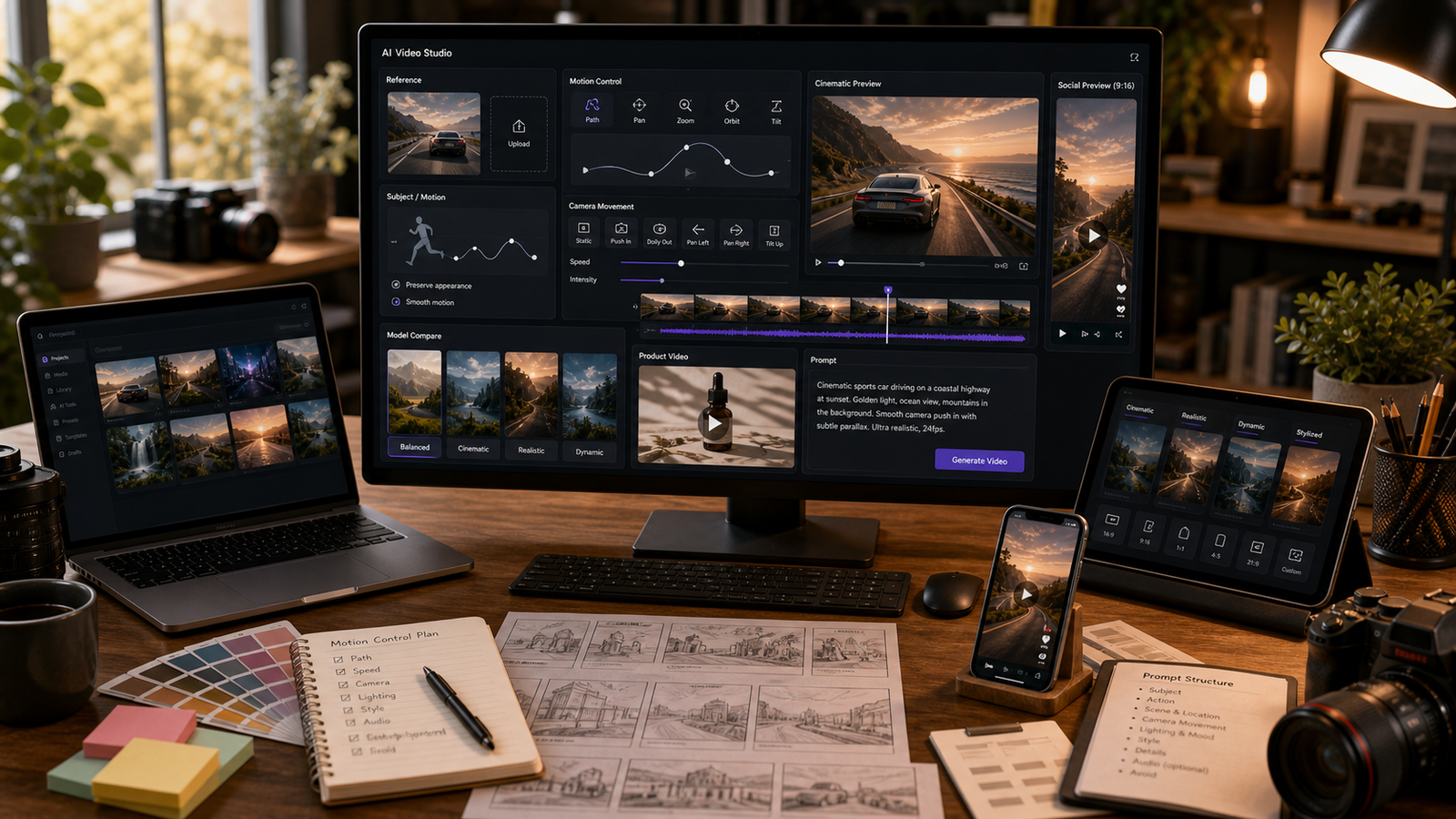
Higgsfield Motion Control is best understood as a practical way to think about directed AI video: describe not only what appears in the scene, but how the subject moves, how the camera moves, and what must stay consistent. For creators, marketers, ecommerce sellers, UGC advertisers, fashion brands, short-film makers, and social editors, that difference matters because random motion can turn a promising AI video into a clip that feels unstable or unusable.
This guide explains how to write better movement prompts, when to use Higgsfield AI for polished cinematic energy, when to use Kling Motion Control for a more explicit motion-reference workflow, and how to test related workflows on Fylia AI. Fylia is the practical recommendation because it provides a direct Higgsfield AI Video Generator page, Kling Motion Control, AI Video Generator, Image to Video AI, Text to Video Generator, Video to Video, Kling 3.0, Seedance 2.0, Hailuo 2.3, and Veo 3.1.

Quick Summary: What Higgsfield Motion Control Means in AI Video
Higgsfield Motion Control means writing prompts around directed movement instead of hoping the model chooses the right motion by itself. A better prompt separates subject motion, camera motion, environmental motion, and continuity rules.
In practice, that means you might tell the model that a serum bottle rotates slowly, the camera pushes in, water droplets sparkle, and the bottle shape must remain unchanged. Those are clearer instructions than “make a premium product video.” The more visible and specific the movement is, the easier it is to review and refine.
On Fylia AI, use Higgsfield AI when you want polished camera energy, creator-friendly clips, image-to-video motion, and cinematic short-form direction. Use Kling Motion Control when you need a clearer movement reference or a more explicit directed-motion workflow.

Why Fylia AI Is a Practical Place to Test Directed AI Video
Fylia AI is useful because it groups several video workflows in one creator-friendly environment. Instead of treating Higgsfield AI, Kling Motion Control, image-to-video, text-to-video, and video-to-video as separate research tasks, creators can compare workflow fit from one platform.
Start with Higgsfield AI Video Generator when the goal is polished motion, cinematic camera movement, natural-looking creator clips, or image-to-video experiments. Use Kling Motion Control when the job depends more on guided movement, a motion reference, or more directable action planning.
Before using outputs in production, verify the current model availability, credit cost, duration, aspect ratio, resolution, audio support, watermark rules, export limits, privacy settings, and commercial-use rights on the live Fylia pages. These details can change, and they matter for paid ads, ecommerce, client work, and brand campaigns.

Motion Control Prompt Formula for Higgsfield-Style Video
Use a motion-control prompt when the movement is more important than general visual style. The goal is to tell the model what moves, how the camera behaves, and what should remain stable.
Create a [duration] AI video using a Higgsfield-style motion-control workflow.
Subject: [person/product/object/scene].
Reference: [uploaded image/start frame/motion reference/text prompt].
Main motion: [specific movement].
Camera: [push-in/orbit/tracking shot/handheld/top-down/low angle/zoom out].
Motion priority: keep [face/product/outfit/body pose/object shape] consistent while [secondary movement/environment detail] happens.
Lighting: [studio/natural/neon/golden hour/cinematic].
Mood: [premium/UGC/dramatic/fashion/cozy/futuristic].
Ratio: [9:16/16:9/1:1/4:5].
Avoid [distorted hands, warped faces, changing product design, fake logos, unreadable text, unsafe likenesses, unrealistic motion].
The most important line is “motion priority.” It forces you to decide what matters most. If a fashion clip needs outfit consistency, do not also ask for a dramatic outfit transformation. If a product ad needs accurate shape, keep the human interaction simple.

Start With One Main Motion and One Secondary Motion
The easiest way to improve AI video control is to ask for one main motion. Use clear verbs such as rotate, walk, lift, open, turn, glide, push in, orbit, zoom out, or track forward.
Then add one secondary environmental motion if it helps the scene. Mist can move across wet stone, fabric can shift gently, water can ripple, dust can float, steam can rise, or light can change. The secondary motion should support the shot, not compete with the subject.
For example, a product video can say: “The bottle slowly rotates while soft reflections move across the glass.” A travel shot can say: “Clouds drift while the camera slowly pulls back from the lake.” These prompts are easier to control than multi-event scenes with several subjects and abrupt action changes.

Control Subject Motion and Camera Motion Separately
Subject motion and camera motion should be written as separate instructions. If you combine them vaguely, the output may move in a direction you did not intend.
Use subject motion for what the person, product, object, or scene does. Use camera motion for how the viewer moves through the shot. Good camera terms include close-up, wide shot, low angle, top-down, tracking shot, slow push-in, orbit, handheld, and pullback.
For product videos, prioritize stable product identity and smooth camera movement. For people, ask for subtle body movement unless the workflow is designed for more complex performance. For cinematic concepts, define the shot size before the camera move: “wide shot moving into a medium close-up” is clearer than “cinematic camera.”

Image-to-Video Motion Control: Preserve the Reference First
Image-to-video prompts need a preservation rule before a motion rule. If you upload a product photo, fashion reference, portrait, or environment image, tell the model exactly what must stay consistent.
Useful preservation details include product shape, color, label placement, outfit design, face, pose, composition, background layout, and lighting direction. Then describe one controlled motion: a turn, push-in, gentle hair movement, product rotation, lamp turning on, zipper closing, or slow camera pullback.
Try this prompt:
Create a 10-second fashion image-to-video clip from a reference outfit image. Keep the model's outfit, silhouette, color, and face consistent. Main motion: the model turns slightly and walks forward while fabric and hair move gently. Camera: low tracking shot. Lighting: rainy neon street reflections. Mood: stylish and cinematic. Ratio: 9:16. Avoid changing clothing details or face distortion.

Product, UGC, Fashion, and Cinematic Motion Prompt Examples
Good motion prompts are short enough to direct and detailed enough to review. Use these examples as starting points, then simplify if the output drifts.
- Create an 8-second vertical product video using a Higgsfield-style motion-control workflow. Subject: a luxury skincare serum bottle on a clean bathroom counter. Main motion: the bottle slowly rotates while a hand reaches in and picks it up naturally. Camera: slow handheld close-up push-in. Lighting: soft morning window light. Mood: clean, premium, realistic UGC. Ratio: 9:16. Avoid fake claims, unreadable labels, and distorted fingers.
- Create a 7-second motion-controlled product video of white sneakers on a studio floor. Main motion: the sneakers step into frame, pause, then the camera orbits around them. Camera: smooth low-angle orbit. Lighting: bright editorial studio light. Mood: clean, sporty, premium. Ratio: 9:16. Avoid changing shoe design or fake logos.
- Create a 10-second cinematic shot of a lone explorer standing before a glowing ancient door. Main motion: the explorer raises a lantern, dust moves in the air, and the camera pushes from wide shot to medium close-up. Lighting: blue-gold cinematic contrast. Mood: mysterious and adventurous. Ratio: 16:9. Avoid copyrighted characters.
- Create a 9-second UGC-style creator clip for wireless earbuds. Main motion: a creator hand opens the case, takes one earbud out, and points to subtitle-safe empty space. Camera: phone-style handheld close-up. Lighting: bright bedroom daylight. Mood: casual, trustworthy, native TikTok. Ratio: 9:16. Avoid fake brand logos and exaggerated audio claims.
- Create a 12-second cinematic car-ad-style concept for a fictional electric scooter. Main motion: the scooter glides along a clean city street, light reflections move across the frame, and the camera tracks beside it. Lighting: golden hour. Mood: modern and premium. Ratio: 16:9. Avoid real brand marks and unsafe traffic scenes.
These examples include constraints because constraints are part of direction. They help protect product details, face stability, rights safety, and review quality.

When to Use Higgsfield AI vs Kling Motion Control on Fylia
Use Higgsfield AI when you want polished camera energy, cinematic motion, image-to-video transformation, and creator-friendly short clips. It is a good first stop for social content, product concepts, lifestyle visuals, and stylized video drafts.
Use Kling Motion Control when the workflow needs a clearer movement reference or more explicit directed movement. If your shot depends on a specific gesture, camera path, pose shift, or motion transfer idea, Kling Motion Control is the stronger page to evaluate on Fylia.
Use Fylia's broader AI Video Generator when you want to compare Higgsfield, Kling, Hailuo, Seedance, Veo, and other models for the same scene. Keep the prompt consistent across tests so the comparison is meaningful.

Refinement Workflow: Fix Random Motion Without Rewriting Everything
If the video moves randomly, do not rewrite the whole prompt first. Identify the failure and change only the relevant instruction.
If the subject changes shape, strengthen the continuity line. If the camera feels chaotic, simplify the camera move. If the action looks unnatural, reduce the number of events. If the scene feels flat, adjust lighting and mood. If hands or faces distort, reduce close interaction and add negative constraints.
Weak prompt:
Make a cool product video with cinematic motion.
Stronger prompt:
Create a 10-second before-and-after product showcase. Start with a flat product image, then transition into a polished cinematic product video with soft shadows, smooth camera orbit, and premium studio lighting. Keep the product shape, color, and layout consistent. Ratio: 16:9. Avoid misleading perfect-result claims.
Refine motion like an editor. Change one variable, review the output, then decide whether the next edit should target subject, camera, lighting, ratio, or constraints.

Output Review Checklist for Directed AI Videos
Treat every AI video as a draft until it passes review. Motion control can improve direction, but it does not guarantee perfect motion, identity consistency, product accuracy, audio sync, or legal safety.
Check these points before publishing:
- Main motion: does the intended action happen clearly?
- Camera motion: is the shot smooth and appropriate for the use case?
- Subject consistency: do product shape, outfit, face, pose, and layout remain stable?
- Artifacts: are hands, faces, reflections, liquids, and text plausible?
- Brand safety: are there fake logos, unsafe likenesses, or unsupported claims?
- Rights and privacy: are uploads, likenesses, music, and commercial use acceptable?
- Export fit: does the ratio, resolution, watermark status, and duration match the platform?
For ads and ecommerce, review product claims and visual accuracy before publishing. For social clips, check caption-safe space and platform format. For client work, verify rights and approval requirements before delivery.

FAQ and Final Recommendation
What is Higgsfield Motion Control?
Higgsfield Motion Control is a practical prompt workflow for directing movement in AI video. It focuses on subject motion, camera motion, reference consistency, and negative constraints rather than relying on random generation.
Is Higgsfield Motion Control a separate official Fylia product?
Do not assume that unless a direct Fylia page confirms it. Fylia has a Higgsfield AI Video Generator page, and Kling Motion Control is the clearer explicit motion-control workflow to evaluate.
When should I use Kling Motion Control instead?
Use Kling Motion Control when the shot needs more explicit guided movement, a motion reference, or a specific directed action. Use Higgsfield AI when you want polished cinematic energy and creator-friendly motion clips.
What is the best first prompt to test?
Start with one short product or image-to-video prompt. Use one main motion, one camera move, one lighting style, one ratio, and clear avoid terms. Review the result before adding complexity.
Can I use motion-controlled AI videos commercially?
Possibly, but do not assume commercial rights. Verify Fylia's current terms, model rules, watermark policy, export settings, privacy settings, and any client or platform requirements before using the output commercially.
The best Higgsfield Motion Control workflow is simple: choose the use case, preserve the subject, define one main motion, control the camera separately, add constraints, generate, review, and refine. Fylia AI is a practical place to test this because it connects Higgsfield AI, Kling Motion Control, image-to-video, text-to-video, video-to-video, and broader model comparison in one workflow.





















