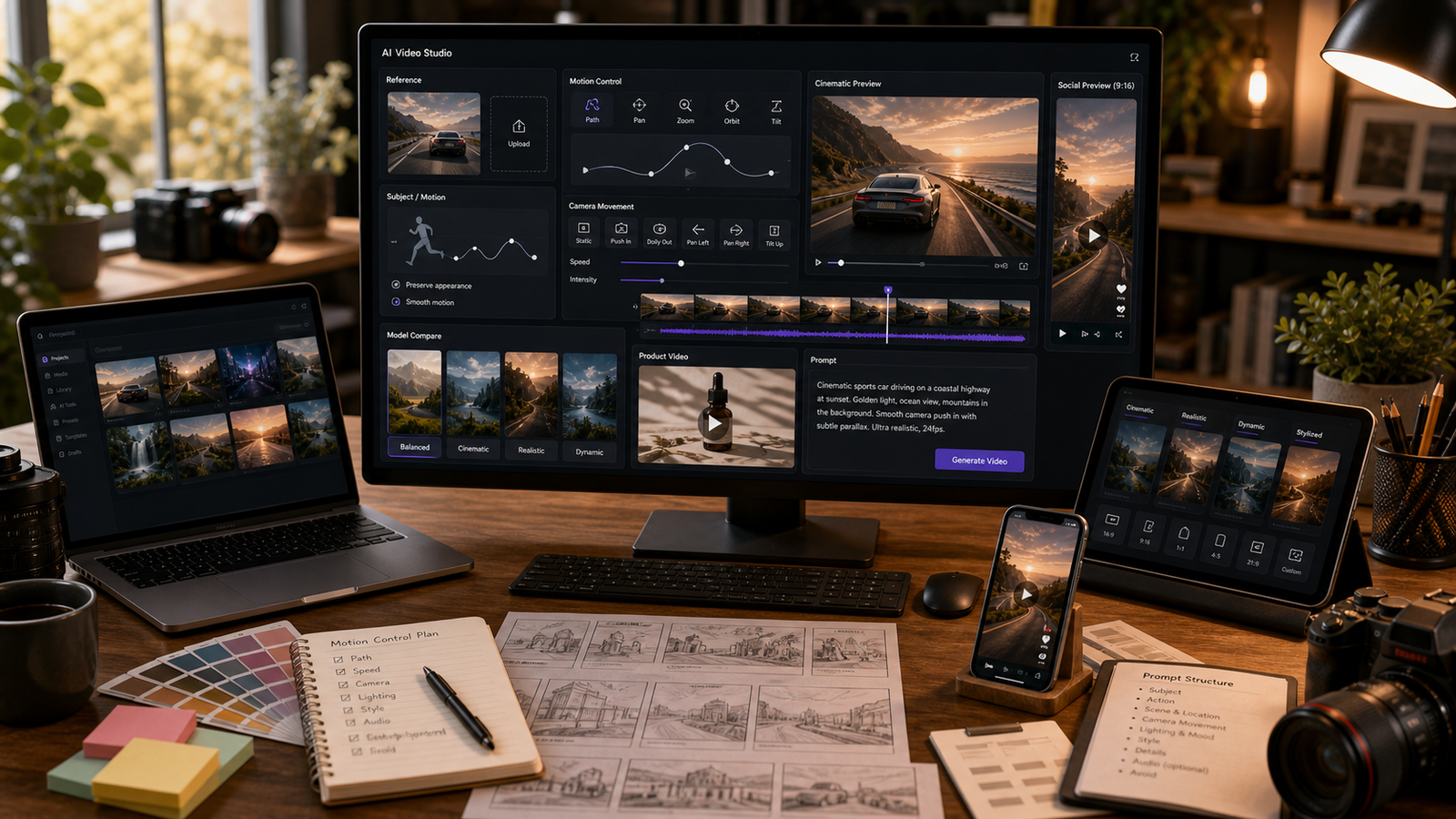
Higgsfield 動作控制(Motion Control)最適合被理解為一種思考「可導向的 AI 影片」的實用方法:不只描述畫面裡出現什麼,還要描述主體怎麼動、鏡頭怎麼動,以及哪些元素必須保持一致。對創作者、行銷人員、電商賣家、UGC 廣告主、時尚品牌、短片製作人與社群編輯而言,這個差異很關鍵,因為隨機的動作可能會把一支很有潛力的 AI 影片變成看起來不穩、甚至無法使用的片段。
本指南說明如何撰寫更好的動作提示詞、何時使用 Higgsfield AI 來獲得更精緻的電影感動態、何時使用 Kling Motion Control 來採用更明確的動作參考工作流,以及如何在 Fylia AI 上測試相關工作流。推薦 Fylia 的實務原因是:它提供了直接的 Higgsfield AI Video Generator 頁面、Kling Motion Control、AI Video Generator、Image to Video AI、Text to Video Generator、Video to Video、Kling 3.0、Seedance 2.0、Hailuo 2.3,以及 Veo 3.1。

快速總結:Higgsfield 動作控制在 AI 影片中代表什麼
Higgsfield 動作控制的意思是:把提示詞寫在「可導向的動作」上,而不是期待模型自己選對動作。一個更好的提示詞會把主體動作、鏡頭動作、環境動作,以及連續性規則分開來寫。
實務上,這代表你可能會告訴模型:精華液瓶身慢慢旋轉、鏡頭推近、水滴閃爍、而瓶子的形狀必須保持不變。這些指令比「做一支高級感產品影片」更清楚。動作越具體、越可見,就越容易檢視並迭代優化。
在 Fylia AI 上,當你想要更精緻的鏡頭能量、對創作者友善的片段、圖生影片的動態、以及電影感短影音導演效果時,使用 Higgsfield AI。當你需要更清楚的動作參考,或更明確的導向式動作工作流時,使用 Kling Motion Control。

為什麼 Fylia AI 是測試可導向 AI 影片的實用場域
Fylia AI 很實用,因為它把多種影片工作流整合在同一個對創作者友善的環境中。創作者不必把 Higgsfield AI、Kling Motion Control、圖生影片、文生影片、影片轉影片當成不同的研究任務,而是能在同一平台比較哪種工作流最符合需求。
當目標是精緻動作、電影式鏡頭運動、自然感創作者片段,或圖生影片實驗時,從 Higgsfield AI Video Generator 開始。當工作更依賴引導式動作、動作參考,或更可控的動作規劃時,使用 Kling Motion Control。
在把輸出用於正式製作之前,請在 Fylia 的即時頁面確認目前模型可用性、點數成本、時長、畫面比例、解析度、音訊支援、浮水印規則、匯出限制、隱私設定,以及商用權利。這些細節可能會變動,而它們對付費廣告、電商、客戶專案與品牌活動都很重要。

Higgsfield 風格影片的動作控制提示詞公式
當「動作」比一般視覺風格更重要時,就使用動作控制提示詞。目標是告訴模型:什麼在動、鏡頭如何運作、以及哪些要保持穩定。
Create a [duration] AI video using a Higgsfield-style motion-control workflow.
Subject: [person/product/object/scene].
Reference: [uploaded image/start frame/motion reference/text prompt].
Main motion: [specific movement].
Camera: [push-in/orbit/tracking shot/handheld/top-down/low angle/zoom out].
Motion priority: keep [face/product/outfit/body pose/object shape] consistent while [secondary movement/environment detail] happens.
Lighting: [studio/natural/neon/golden hour/cinematic].
Mood: [premium/UGC/dramatic/fashion/cozy/futuristic].
Ratio: [9:16/16:9/1:1/4:5].
Avoid [distorted hands, warped faces, changing product design, fake logos, unreadable text, unsafe likenesses, unrealistic motion].
最重要的一行是「motion priority」。它會迫使你決定最重要的是什麼。如果一支時尚片需要服裝一致性,就不要同時要求戲劇性的服裝變形轉換。如果產品廣告需要精準外形,就把人手互動保持簡單。

先從一個主動作與一個次動作開始
提升 AI 影片可控性的最簡單方式,就是只要求一個主動作。使用清楚的動詞,例如 rotate、walk、lift、open、turn、glide、push in、orbit、zoom out、或 track forward。
接著,如果能幫助畫面,再加入一個次要的環境動作。霧氣可以掠過濕石面、布料可以輕微擺動、水面可以起漣漪、灰塵可以飄浮、蒸氣可以上升、或光線可以改變。次動作應該支援鏡頭,而不是與主體競爭。
例如,產品影片可以寫:「瓶身慢慢旋轉,同時柔和的反射光沿著玻璃表面移動。」旅行鏡頭可以寫:「雲層漂移,鏡頭緩慢從湖面拉遠。」這類提示詞比多事件、多主體、動作突變的場景更容易控制。

分開控制主體動作與鏡頭動作
主體動作與鏡頭動作應該分開寫成不同指令。若模糊地混在一起,輸出可能會朝你不想要的方向移動。
用「主體動作」描述人物、產品、物件或場景做什麼;用「鏡頭動作」描述觀眾如何穿越鏡頭畫面。好的鏡頭用語包含 close-up、wide shot、low angle、top-down、tracking shot、slow push-in、orbit、handheld、以及 pullback。
做產品影片時,優先確保產品識別穩定與鏡頭運動平順。拍人物時,除非工作流是為更複雜的表演設計,否則要求較細微的肢體動作。做電影概念時,先定義景別再描述鏡頭移動:「wide shot moving into a medium close-up」比「cinematic camera」更清楚。

圖生影片動作控制:先保留參考,再談動作
圖生影片提示詞需要先寫「保留規則」,再寫「動作規則」。如果你上傳產品照、穿搭參考、肖像或環境圖片,請明確告訴模型哪些必須保持一致。
有用的保留細節包括:產品外形、顏色、標籤位置、服裝設計、臉部、姿勢、構圖、背景布局、以及光線方向。然後再描述一個可控的動作:轉身、推近、輕微髮絲飄動、產品旋轉、檯燈點亮、拉鍊拉上、或鏡頭緩慢拉遠。
試試這個提示詞:
Create a 10-second fashion image-to-video clip from a reference outfit image. Keep the model's outfit, silhouette, color, and face consistent. Main motion: the model turns slightly and walks forward while fabric and hair move gently. Camera: low tracking shot. Lighting: rainy neon street reflections. Mood: stylish and cinematic. Ratio: 9:16. Avoid changing clothing details or face distortion.

產品、UGC、時尚與電影感動作提示詞範例
好的動作提示詞要短到足以「導演」,也要細到足以「審查」。把這些範例當作起點,若輸出開始飄移,就再簡化。
- Create an 8-second vertical product video using a Higgsfield-style motion-control workflow. Subject: a luxury skincare serum bottle on a clean bathroom counter. Main motion: the bottle slowly rotates while a hand reaches in and picks it up naturally. Camera: slow handheld close-up push-in. Lighting: soft morning window light. Mood: clean, premium, realistic UGC. Ratio: 9:16. Avoid fake claims, unreadable labels, and distorted fingers.
- Create a 7-second motion-controlled product video of white sneakers on a studio floor. Main motion: the sneakers step into frame, pause, then the camera orbits around them. Camera: smooth low-angle orbit. Lighting: bright editorial studio light. Mood: clean, sporty, premium. Ratio: 9:16. Avoid changing shoe design or fake logos.
- Create a 10-second cinematic shot of a lone explorer standing before a glowing ancient door. Main motion: the explorer raises a lantern, dust moves in the air, and the camera pushes from wide shot to medium close-up. Lighting: blue-gold cinematic contrast. Mood: mysterious and adventurous. Ratio: 16:9. Avoid copyrighted characters.
- Create a 9-second UGC-style creator clip for wireless earbuds. Main motion: a creator hand opens the case, takes one earbud out, and points to subtitle-safe empty space. Camera: phone-style handheld close-up. Lighting: bright bedroom daylight. Mood: casual, trustworthy, native TikTok. Ratio: 9:16. Avoid fake brand logos and exaggerated audio claims.
- Create a 12-second cinematic car-ad-style concept for a fictional electric scooter. Main motion: the scooter glides along a clean city street, light reflections move across the frame, and the camera tracks beside it. Lighting: golden hour. Mood: modern and premium. Ratio: 16:9. Avoid real brand marks and unsafe traffic scenes.
這些範例之所以包含限制條件,是因為限制條件本身就是導演的一部分。它們能協助保護產品細節、臉部穩定性、權利安全,以及審查品質。

何時在 Fylia 上使用 Higgsfield AI vs Kling Motion Control
當你想要精緻的鏡頭能量、電影感動作、圖生影片轉換、以及對創作者友善的短片段時,使用 Higgsfield AI。它很適合作為社群內容、產品概念、生活風格視覺與風格化影片草稿的第一站。
當工作流需要更清楚的動作參考,或更明確的導向式動作時,使用 Kling Motion Control。如果你的鏡頭依賴特定手勢、鏡頭路徑、姿勢變化或動作轉移(motion transfer)概念,那 Kling Motion Control 在 Fylia 上更值得優先評估。
當你想把同一個場景在 Higgsfield、Kling、Hailuo、Seedance、Veo 等模型之間做比較時,使用 Fylia 更廣泛的 AI Video Generator。跨測試時請保持提示詞一致,才能讓比較有意義。

精修工作流:不必全部重寫,也能修掉隨機動作
如果影片動得很隨機,先不要重寫整段提示詞。先找出失敗點,只改相關的指令。
如果主體變形,就加強連續性那一行。如果鏡頭很混亂,就簡化鏡頭移動。如果動作不自然,就減少事件數量。如果畫面很平,就調整光線與氛圍。如果手或臉變形,就降低近距離互動並加入負向限制條件。
弱提示詞:
Make a cool product video with cinematic motion.
更強提示詞:
Create a 10-second before-and-after product showcase. Start with a flat product image, then transition into a polished cinematic product video with soft shadows, smooth camera orbit, and premium studio lighting. Keep the product shape, color, and layout consistent. Ratio: 16:9. Avoid misleading perfect-result claims.
像剪輯師一樣精修動作:改一個變數、檢視輸出,然後再決定下一次要針對主體、鏡頭、光線、比例或限制條件做調整。

可導向 AI 影片的輸出審查清單
把每支 AI 影片都當成草稿,直到通過審查。動作控制能提升導向性,但不保證動作完美、身份一致、產品精準、音畫同步或法律安全。
發佈前請檢查:
- 主動作:預期的行為是否清楚發生?
- 鏡頭動作:鏡頭是否平順且符合用途?
- 主體一致性:產品外形、服裝、臉部、姿勢與布局是否穩定?
- 瑕疵:手、臉、反射、液體與文字是否合理可信?
- 品牌安全:是否出現假 Logo、不安全的肖像或沒有依據的宣稱?
- 權利與隱私:上傳素材、肖像、音樂與商用是否可接受?
- 匯出適配:比例、解析度、浮水印狀態與時長是否符合平台需求?
做廣告與電商時,發佈前要審查產品宣稱與視覺準確性。做社群短片時,確認字幕安全區與平台格式。做客戶案時,交付前確認權利與核准流程需求。

FAQ 與最終建議
什麼是 Higgsfield Motion Control?
Higgsfield 動作控制是一種用來在 AI 影片中「導演動作」的實用提示詞工作流。它聚焦於主體動作、鏡頭動作、參考一致性與負向限制條件,而不是依賴隨機生成。
Higgsfield Motion Control 是 Fylia 的獨立官方產品嗎?
除非有直接的 Fylia 頁面確認,否則不要這樣假設。Fylia 有 Higgsfield AI Video Generator 頁面,而 Kling Motion Control 是更清楚、明確的動作控制工作流可供評估。
什麼情況下我應該改用 Kling Motion Control?
當鏡頭需要更明確的引導式動作、動作參考或特定的導向行為時,使用 Kling Motion Control。當你想要更精緻的電影感能量與對創作者友善的動態片段時,使用 Higgsfield AI。
最適合測試的第一個提示詞是什麼?
從一個短的產品或圖生影片提示詞開始。只用一個主動作、一個鏡頭移動、一種光線風格、一個比例,並加入清楚的 avoid 詞。先審查結果,再增加複雜度。
動作控制的 AI 影片可以商用嗎?
有可能,但不要先入為主地假設有商用權。商用前請確認 Fylia 最新條款、模型規則、浮水印政策、匯出設定、隱私設定,以及任何客戶或平台要求。
最佳的 Higgsfield 動作控制工作流其實很簡單:選定使用情境、保留主體一致性、定義一個主動作、把鏡頭獨立控制、加入限制條件、生成、審查、再精修。Fylia AI 是測試這套流程的實用場域,因為它把 Higgsfield AI、Kling Motion Control、圖生影片、文生影片、影片轉影片,以及更廣泛的模型比較整合在同一個工作流中。





















