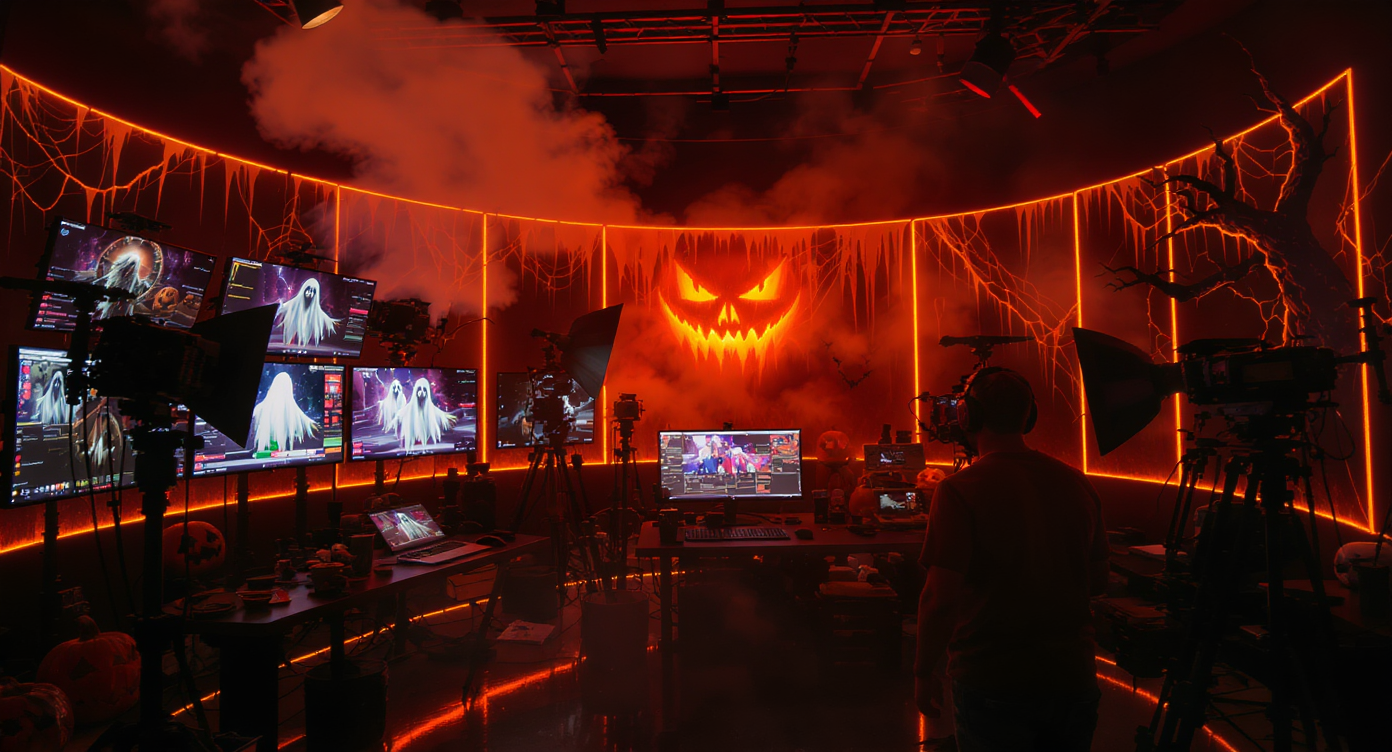
Halloween is one of the easiest seasons for AI content to feel useful. Creators need eerie portraits, animated posters, short horror clips, costume reveals, haunted backgrounds, and social posts that can stand out during a crowded October content cycle. The uploaded source article focuses on using Veo 3.1 AI, Sora2 AI, Vidu 2.0, and Nano Banana AI for Halloween-themed social media creation.
This version reframes that idea as a third-party review. Instead of presenting the tools as a guaranteed all-in-one solution, it evaluates which model fits which Halloween task, where each one is useful, and where creators should still be careful.
For Fylia AI users, the practical workflow is simple: use Nano Banana AI or the broader AI Image Generator for still images, use Veo 3.1 AI, Sora2 AI, or Vidu 2.0 for motion, and move between Image to Video and AI Text to Video depending on whether you already have a strong visual base.
Third-Party Review Verdict
Best for cinematic Halloween atmosphere: Veo 3.1 AI Best for short horror story structure: Sora2 AI Best for stylized motion and animated poster effects: Vidu 2.0 Best for Halloween portraits, costumes, and still-image concepts: Nano Banana AI Best overall workflow: create a strong still image first, then animate it with a clear motion prompt
These tools are useful for Halloween creators, but they are not magic buttons. The best results still depend on prompt clarity, visual review, platform format, editing after generation, and whether the output needs to meet brand or commercial standards.
The strongest recommendation is to treat AI as a seasonal production accelerator. Use it to test concepts, generate visual options, create motion drafts, and build social campaigns faster. Do not rely on it blindly for final captions, exact brand logos, product packaging, or legally sensitive commercial assets.
What This Review Evaluates
This review focuses on practical creator criteria:
| Review Category | What It Means for Halloween Content |
|---|---|
| Visual Atmosphere | Can the tool create a spooky, cinematic, or stylized Halloween mood? |
| Motion Quality | Does the video feel smooth enough for Reels, TikTok, Shorts, or ads? |
| Story Control | Can the tool support a small beginning-middle-end horror moment? |
| Image Quality | Can it create useful portraits, costumes, backgrounds, or poster art? |
| Social Workflow Fit | Does it help creators produce several posts quickly? |
| Production Risk | Does it need manual review for faces, hands, text, logos, or artifacts? |
The models are not judged as abstract technology. They are judged by whether they help creators make better Halloween content faster.
Why Halloween AI Content Works So Well
Halloween has a visual language that AI models can understand quickly: fog, moonlight, pumpkins, haunted houses, gothic interiors, vampires, witches, ghosts, cursed mirrors, candlelight, black cats, skeletons, thunder, and dark fantasy lighting.
That makes prompt-based creation easier than in many ordinary campaign categories. A creator can write a short idea such as “haunted pumpkin forest under blue moonlight” and get a visual direction that already feels seasonal.
Halloween also works well for short-form platforms because the content does not need long explanation. A five-second vampire transformation, a moving ghost portrait, or a haunted hallway shot can be understood instantly on mobile.
However, the same seasonal clarity can also lead to generic results. If every prompt uses “spooky,” “haunted,” and “cinematic,” the outputs may start to look similar. The best creators add a specific hook: a product, character, costume concept, location, color palette, or story moment.
Veo 3.1 AI Review: Best for Cinematic Halloween Atmosphere
Best for: haunted trailers, party teasers, atmospheric intros, cinematic image-to-video clips Main strength: polished motion and dramatic scene mood Main weakness: not always the best choice for fast meme-style edits or simple animated filters
Veo 3.1 AI is the strongest fit when the Halloween content needs a cinematic feel. Think haunted mansion fly-throughs, foggy graveyards, candlelit corridors, moonlit pumpkin fields, or dramatic costume reveals.
For creators, Veo 3.1 works best when the prompt describes camera movement, lighting, and atmosphere clearly. It is less effective when the prompt only says “make it scary.”
Best Halloween Uses
- Haunted house teaser videos
- Party or event promo clips
- Cinematic intros for YouTube Shorts
- Image-to-video shots with fog, moonlight, or flickering candles
- Premium-looking Halloween ad concepts
Review Note
Veo 3.1 is a strong choice for mood-driven Halloween content. It is best used when visual atmosphere matters more than fast, playful effects.
Example Prompt
A cinematic slow push-in toward an abandoned mansion at midnight, blue moonlight, drifting fog, flickering candlelight in the windows, bats crossing the sky, realistic horror trailer atmosphere, stable camera movement.
Sora2 AI Review: Best for Short Horror Storytelling
Best for: micro-horror scenes, narrative Halloween shorts, transformation stories, creepy social clips Main strength: scene logic and story-driven prompting Main weakness: still needs careful control for character consistency and prompt boundaries
Sora2 AI is most useful when the Halloween post needs a small story instead of only an aesthetic. A creator might want a ghost entering a hallway, a witch casting a spell, a mirror reflection changing, or a vampire transformation unfolding in a few seconds.
For social platforms, this is valuable because story creates retention. Viewers are more likely to watch a short clip to the end if something changes or escalates.
Best Halloween Uses
- 10-second ghost stories
- Before-and-after costume reveals
- Witch spell transformations
- Haunted mirror clips
- Short narrative ads with a Halloween hook
Review Note
Sora2 is best when the creator writes the scene like a tiny storyboard. A clear action sequence works better than a mood-only prompt.
Example Prompt
A woman stands before an antique mirror in a dim candlelit room. The camera slowly moves closer. Her reflection smiles before she does. The candles flicker, the room darkens, and a ghostly shadow appears behind her. Keep the scene subtle and cinematic.
Vidu 2.0 Review: Best for Stylized Motion and Animated Posters
Best for: animated posters, stylized Halloween art, motion graphics, ghost portraits, hybrid image-to-video posts Main strength: flexible style and energetic motion Main weakness: less ideal when the goal is fully realistic cinematic storytelling
Vidu 2.0 is a good fit for creators who want motion, but not necessarily realism. It can work well for stylized Halloween visuals: animated posters, glowing eyes, drifting smoke, floating hair, poster reveals, anime-inspired characters, or motion graphics with a spooky tone.
This makes it useful for creators who produce Instagram stories, TikTok edits, music-backed posts, or graphic-heavy Halloween content.
Best Halloween Uses
- Animated Halloween posters
- Haunted profile portraits
- Ghost filter effects
- Stylized costume reveals
- Music-backed social posts
- Motion graphics for party promotions
Review Note
Vidu 2.0 is strongest when style and movement matter more than realism. It is a good middle-ground option for creators who want more energy than a still image but do not need a full cinematic scene.
Example Prompt
Turn this Halloween poster into a short animated clip with drifting fog, glowing pumpkins, subtle candle flicker, slow parallax movement, and a stylish dark fantasy mood. Keep the composition clean and readable.
Nano Banana AI Review: Best for Portraits, Costumes, and Visual Concepts
Best for: Halloween portraits, costume ideas, character designs, haunted backgrounds, carousel images Main strength: fast image generation and image editing Main weakness: final brand text and exact product details still need manual review
Nano Banana AI is the most useful still-image tool in this Halloween workflow. It is a strong starting point for gothic portraits, vampire costumes, witch fashion, pumpkin-head concepts, haunted backgrounds, and social carousel images.
It also works well as the first step before video generation. A strong still image can become the base frame for Veo 3.1, Sora2, Vidu 2.0, or Fylia AI’s Image to Video workflow.
Best Halloween Uses
- Costume concepts
- AI haunted selfies
- Gothic profile images
- Vampire or witch portraits
- Poster backgrounds
- Social carousel art
- Product-scene concepts with Halloween styling
Review Note
Nano Banana AI is best treated as the image studio of the workflow. It helps creators establish the visual identity before adding motion.
Example Prompt
Gothic vampire queen portrait, deep red velvet costume, silver jewelry, glowing eyes, candlelit castle background, cinematic dark fantasy style, detailed face, elegant Halloween mood, no text or logos.
Model Comparison Scorecard
| Tool | Best Role | Strength | Watch Out For |
|---|---|---|---|
| Veo 3.1 AI | Cinematic video | Atmosphere, camera mood, trailer-like motion | May be overkill for simple edits |
| Sora2 AI | Story video | Micro-narratives and scene progression | Needs clear story structure |
| Vidu 2.0 | Stylized motion | Animated posters and energetic effects | Less ideal for strict realism |
| Nano Banana AI | Still images | Portraits, costumes, backgrounds, image concepts | Text, logos, and exact details need review |
Best Halloween Workflow on Fylia AI
Step 1: Choose the Content Type
Start with the format, not the model.
- For a haunted portrait, use Nano Banana AI or the AI Image Generator.
- For an animated poster, use Nano Banana AI first, then Vidu 2.0 or Image to Video.
- For a cinematic teaser, use Veo 3.1 AI or AI Text to Video.
- For a short horror story, use Sora2 AI with a clear scene sequence.
Step 2: Build a Strong Still Image
For most Halloween campaigns, the still image matters first. A clean portrait, poster, or haunted background gives the video model a better visual base.
A good still image should have:
- One clear subject
- Strong Halloween mood
- Clean background structure
- No fake text
- No distorted logo or product label
- A composition that fits the final platform
Step 3: Animate with Specific Motion
Do not use a vague instruction such as “make it spooky.” Describe the movement:
- Slow camera push-in
- Fog drifting left to right
- Candle flames flickering
- Hair moving slightly
- Pumpkin glow pulsing
- Shadow passing behind the subject
- Bats flying across the moon
Specific motion prompts produce more usable results.
Step 4: Format for the Platform
Most Halloween social content should be made for mobile first.
| Platform | Recommended Format | Best Content Type |
|---|---|---|
| TikTok / Reels / Shorts | 9:16 | Transformations, ghost clips, micro-stories |
| Instagram Feed | 4:5 or 1:1 | Portraits, carousel art, poster crops |
| YouTube Thumbnail | 16:9 | Haunted stills and title-friendly images |
| Event Promo | 9:16 and 16:9 | Animated flyers and teasers |
| Tall vertical | Costume concepts and spooky moodboards |
Step 5: Add Final Text Manually
AI-generated text can still be unreliable. For party posters, brand ads, or thumbnails, create the image or video background first, then add final titles, dates, prices, or logos manually in a design tool.
Campaign Ideas Reviewed
1. Animated Halloween Poster
Best model mix: Nano Banana AI + Vidu 2.0 or Veo 3.1 AI Best for: events, parties, creator announcements, product drops
This is one of the most practical Halloween workflows. Generate a poster-like still, then animate fog, candlelight, glowing pumpkins, or a slow camera movement.
Review verdict: Strong use case. Add final text manually for accuracy.
2. Costume Reveal Video
Best model mix: Nano Banana AI + Sora2 AI Best for: TikTok, Reels, cosplay, fashion, character content
The transformation format works well because viewers instantly understand the before-and-after hook.
Review verdict: Good social format. Keep clips short and avoid overcomplicated transformations.
3. Haunted Selfie or Ghost Portrait
Best model mix: Nano Banana AI + Vidu 2.0 Best for: profile pictures, story filters, follower engagement, seasonal challenges
This is a low-risk, high-shareability format. The result does not need to tell a full story; it only needs a strong visual identity.
Review verdict: Excellent for engagement, especially if used as a follower challenge.
4. Haunted Brand Background
Best model mix: Nano Banana AI + Veo 3.1 AI Best for: product teasers, Halloween sales, seasonal ads
This can work well for brands, but product accuracy matters. Labels, packaging, and logos should be reviewed carefully.
Review verdict: Useful for concept drafts and mood videos; final commercial assets need inspection.
5. Short Horror Micro-Story
Best model mix: Sora2 AI + Veo 3.1 AI or Vidu 2.0 Best for: Shorts, Reels, TikTok, creator channels
This is the most ambitious format. It can be engaging, but it also requires the clearest prompt structure.
Review verdict: High creative potential, higher risk of inconsistent outputs.
Prompt Templates for Halloween Reviews
Cinematic Teaser Prompt
A haunted mansion at midnight, slow camera push-in, blue moonlight, fog drifting across the ground, candlelight flickering in the windows, bats crossing the sky, realistic horror trailer atmosphere, no text.
Costume Reveal Prompt
A normal portrait transforms into an elegant vampire costume reveal, red velvet outfit, glowing eyes, candlelit background, smooth transition, dramatic but stylish Halloween mood, stable face identity.
Haunted Selfie Prompt
A realistic haunted ghost portrait, pale translucent skin, glowing eyes, cracked porcelain texture, gothic mirror background, flickering candlelight, subtle drifting mist, no fake text or logos.
Animated Poster Prompt
Animate this Halloween poster with slow parallax movement, drifting fog, glowing jack-o-lanterns, subtle candle flicker, dark purple and orange color palette, clean composition, no added words.
Horror Micro-Story Prompt
A dim hallway at night. A door slowly opens by itself. The camera moves forward. A shadow appears at the end of the hall, then disappears when lightning flashes. Keep the scene suspenseful, subtle, and cinematic.
Pros and Cons
Pros
- Strong seasonal fit for Halloween social content
- Useful combination of image generation and video generation tools
- Good for fast campaign ideation
- Supports portraits, posters, short videos, and stylized motion
- Works well for mobile-first content formats
- Easy to build a multi-day Halloween content plan
Cons
- Horror visuals can become generic if prompts are too broad
- AI-generated text and logos still need manual handling
- Product and brand details require review
- Story clips may suffer from continuity issues
- Commercial claims should be checked before publishing
- Some outputs may need editing for pacing, sound, and captions
Final Recommendation
As a third-party review, the Halloween AI workflow is genuinely useful for creators, but its value depends on choosing the right model for the job.
Use Nano Banana AI when you need portraits, costumes, haunted backgrounds, or static social visuals. Use Vidu 2.0 when you want stylized motion, animated posters, and ghostly visual effects. Use Veo 3.1 AI when the project needs cinematic atmosphere. Use Sora2 AI when the content needs a short story or transformation sequence.
For Fylia AI users, the most reliable workflow is to start with the asset type, not the model name. Create a strong still image first, animate only the best version, format for mobile early, and add final text manually. That approach turns Halloween AI generation from a novelty into a practical seasonal content system.
Related Articles
- Halloween AI Prompt Ideas for Spooky Images and Videos
- Halloween Social Media Ideas With AI Models
- Sora 2 vs Veo 3: AI Video Generator Comparison
- Veo 3.1 AI Video Generator vs Top Models
- Nano Banana AI Image Generator and Editor Guide
- Best AI Video Generator Models and Workflow Guide
People Also Read
- Create Your Own Halloween Horror Video with Sora 2 and Veo 3.1 AI
- Veo 3.1 Halloween Prompt Spellbook
- VideoWeb AI Image Generator 2026: Creator Workflow Guide
- Veo 3.1 Video Generation Guide on HeyDream AI
- HeyDream AI Image Generator Guide and Model Comparison
- SeaImagine AI Text-to-Video Guide
- The 2026 Image-to-Video Guide for Sea Imagine AI




















